

Bluetooth - BT Auto Connect
by designshark (0 Reviews) April 29, 2026
Latest Version
April 29, 2026
designshark
Tools
Android
0
Free
com.bluetooth.app.bluetooth_app
Report a Problem
More About Bluetooth - BT Auto Connect
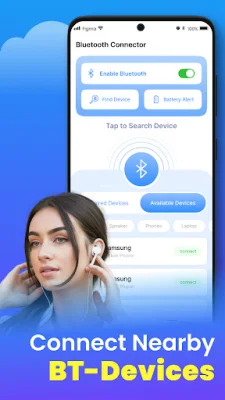
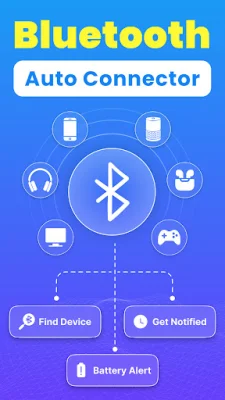
If you're tired of constantly switching between different Bluetooth devices like headphones, car stereos, smart speakers, and hands-free kits, then this app is for you. The Bluetooth finder app allows you to easily manage all your Bluetooth connections with just a tap, right from your home screen. No more digging through menus or scrolling through lists - with this app, you can connect and disconnect from your devices in a split second.
With the Bluetooth assistant feature, you can create individual widgets for each of your paired devices. These widgets can be placed on your home screen for quick and easy access. You can also create a multi-device widget that displays all your nearby paired devices, making it even easier to switch between them without any delay.
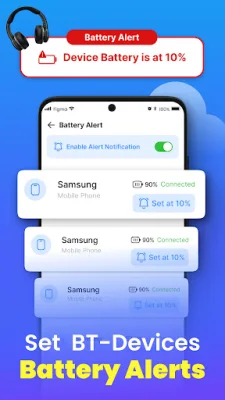
The Bluetooth controller app eliminates the need to manually disconnect from one device before connecting to another. This not only saves time but also enhances the overall experience by reducing frustration and technical issues. Plus, with real-time connection status and battery level display for supported headphones, you can stay on top of your Bluetooth connections at all times.
One of the key features of this app is its user-friendly interface. It's designed to make Bluetooth usage as smooth and intuitive as possible. You can easily switch between devices with just one tap, without any complicated steps or settings to navigate through. And it works with most Bluetooth-enabled devices, including headphones, car kits, and speakers.
This app is especially useful for those who use multiple Bluetooth devices throughout the day. Whether you're listening to music on your headphones, taking calls through your car audio system, or connecting to a Bluetooth speaker at home, you can manage all your connections effortlessly with this app. It's a game-changer for productivity and ease of use when it comes to pairing devices.
So why wait? Download the Auto Bluetooth Connect app now and enjoy seamless Bluetooth connections at your fingertips. Say goodbye to the hassle of constantly switching between devices and hello to a more convenient and efficient way of managing your Bluetooth connections.
Rate the App













Popular Apps









