

Notification light for Samsung
6.02 by Jawomo (0 Reviews) August 10, 2024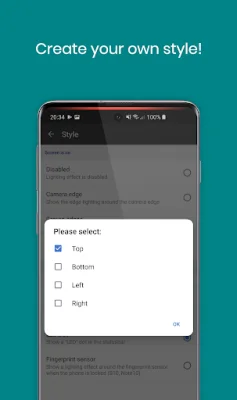
Latest Version
6.02
August 10, 2024
Jawomo
Tools
Android
0
Free
com.jamworks.alwaysondisplay
Report a Problem
More About Notification light for Samsung
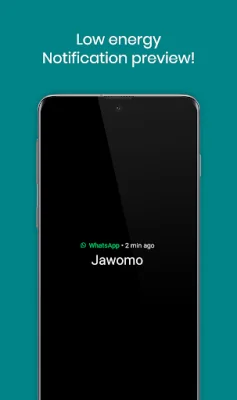
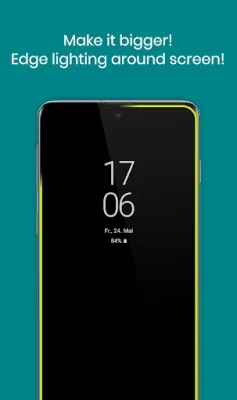
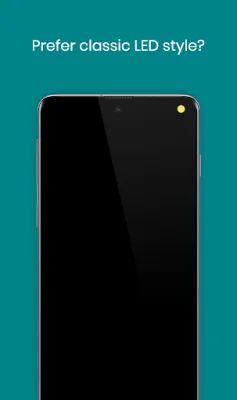
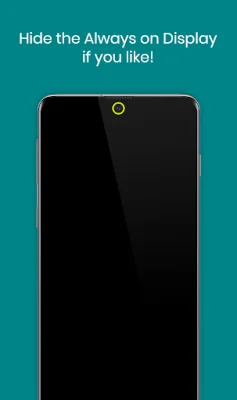
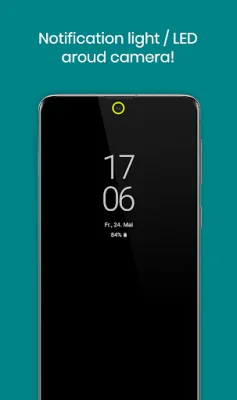
With aodNotify, you can easily customize your Samsung device's notification system by adding a notification light or LED directly to the Always On Display. This feature ensures that you never miss any important notifications again. You have the option to choose from various notification light styles and display them around the camera cutout, screen edges, or even simulate an LED notification dot in the status bar. This feature is available for Samsung Galaxy S23, S22, Note 20, S21, S10, Note 10, and A52 series devices. The app offers dozens of smooth animated light effects such as LED blink, neon, and echo, to name a few. These effects add a touch of personalization to your device's notification system. Additionally, the notification light is integrated into Samsung's Always On Display, resulting in minimal battery consumption. This means that the app does not drain your battery like other apps that keep your phone awake. If you do not want to use the Always On Display, the app also allows you to activate it only on notifications or display the notification light without the Always On Display. The notification preview feature enables you to see the notification sender without waking your Galaxy phone, making it convenient and efficient. The app also offers other features such as low energy notification preview, charging/low battery light, and custom app/contact colors. You can also choose from ECO animations to save battery, interval mode (on/off) to save battery, and night times to save battery. The app has minimal battery consumption, with the notification light using only 3.0% battery per hour. Please note that the app is not compatible with Samsung's new Android 14 update, and the company may block it with future updates. It uses accessibility services to help people working in loud environments or those who are hard of hearing or deaf to receive visual notification feedback. However, no data is collected or shared using the AccessibilityService API. It is recommended to check the app's compatibility before updating your phone software or Always On Display. Additionally, it is advised not to keep the notification light/LED active for a long time to avoid screen burn-in issues. Use the app at your own responsibility. "Samsung Galaxy" is a protected trademark of "SAMSUNG ELECTRONICS." In conclusion, aodNotify is a useful app for Samsung device users who want to enhance their notification system. It offers various customization options and minimal battery consumption, making it a convenient and efficient choice. However, please note the compatibility and usage recommendations before using the app.
Rate the App















Popular Apps









