

Notification Manager & Logs
by BinaryScript (0 Reviews) December 01, 2025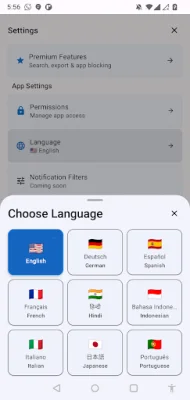
Latest Version
December 01, 2025
BinaryScript
Tools
Android
0
Free
com.binaryscript.notificationmanager
Report a Problem
More About Notification Manager & Logs
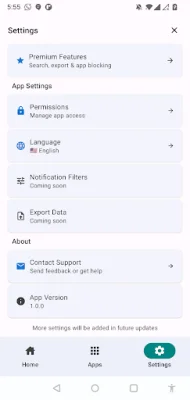
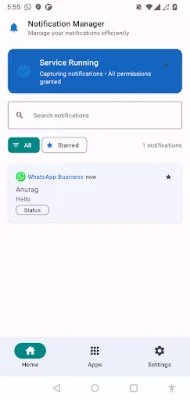
Notification Manager is an Android app that allows users to easily capture, organize, and manage all of their device notifications in one secure location. It is the perfect solution for those who have accidentally dismissed important messages or need to keep track of their notification history.
The app has a variety of key features that make it stand out from other notification management apps. These include a complete notification history that automatically captures notifications from every app, secure offline storage, and the ability to view detailed notification content, timestamps, and app sources. With Notification Manager, users will never have to worry about losing important messages, emails, or alerts again.
One of the most useful features of Notification Manager is its smart organization capabilities. Users can organize their notifications by app, date, or importance, making it easy to find what they need. The app also has a clean and intuitive interface with Material Design 3, as well as support for both dark and light themes. The notification timeline is also easy to use and navigate.
Notification Manager also operates in the background, continuously capturing notifications even when the app is closed. It has a battery-optimized background service and works seamlessly across device restarts, with minimal impact on device performance.
Privacy and security are top priorities for Notification Manager. The app operates 100% offline, meaning no internet connection is required. All data is stored locally on the device and no personal information is shared or uploaded. The app also has transparent permission usage, giving users peace of mind.
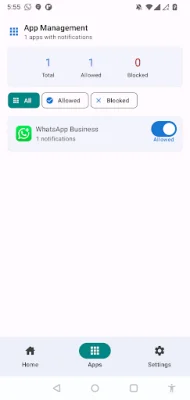
For those looking for even more advanced features, there is the option to upgrade to the premium version of Notification Manager. This unlocks features such as advanced search, export options, app management, detailed analytics, custom categories, and priority marking.
Notification Manager is the perfect app for professionals who need notification history for work, users who have accidentally dismissed important messages, and anyone looking for better notification organization. It is also great for people tracking app usage and notification patterns, as well as those who need notification backup and export capabilities.
Getting started with Notification Manager is easy. Simply download and install the app, grant notification access permission, and start capturing and organizing notifications automatically. And if you need any help, the app includes comprehensive guides and support from the team. Download Notification Manager today and take control of your Android notifications!
Rate the App











Popular Apps









