

Notification Toggle
3.8.9 by j4velin (0 Reviews) October 26, 2024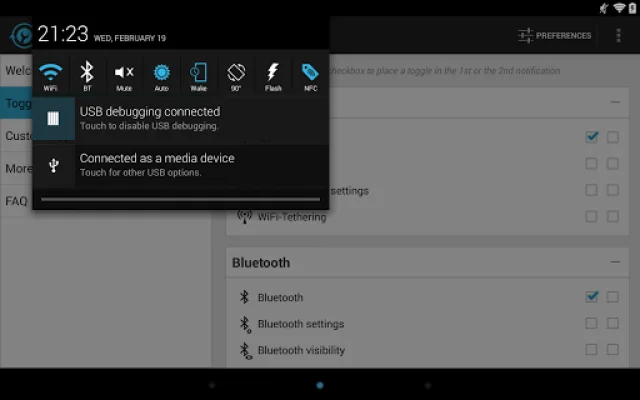

Latest Version
3.8.9
October 26, 2024
j4velin
Tools
Android
0
Free
de.j4velin.notificationToggle
Report a Problem
More About Notification Toggle
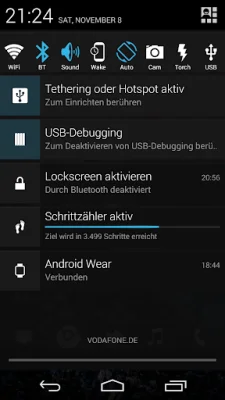
This application allows you to add shortcuts to your own apps in the notification bar. This means that you can easily access your favorite apps without having to search for them on your home screen or in your app drawer. The app also allows you to customize the icons and colors of the shortcuts for a personalized experience.
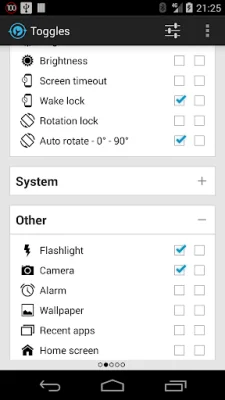
In the settings, you can choose which notifications you want to be active. This means that you can select which shortcuts you want to see in the notification bar. You can also change the icons and colors of the shortcuts through the app, making it easy to customize the look and feel of your notification bar.
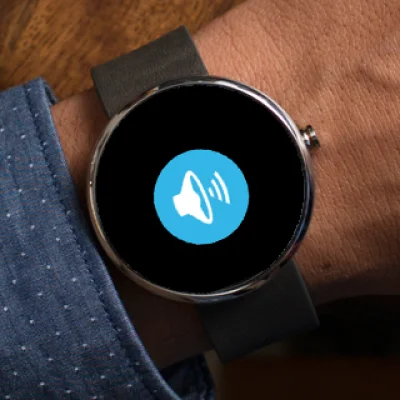
The app also has integration with Android Wear, allowing you to select which toggles you want to see on your smartwatch. You can even use voice commands to switch your phone to silent, lock it, or turn on the flashlight. However, not all toggles will work on every device and some settings may require root access or direct you to the Android settings.
Some important notes to keep in mind are that the app may not be compatible with all devices and it is recommended to exclude it from task-killers. Additionally, some toggles may require root access and the app cannot remove the built-in toggle notification on Samsung phones. It is also recommended to read the FAQ within the app before leaving a review.
The app offers a variety of toggles and shortcuts, including WiFi, Bluetooth, sound and vibration settings, screen brightness, rotation, flight mode, mobile data, NFC, flashlight, music controls, and more. You can also add your own apps and shortcuts, but this feature requires an in-app purchase.
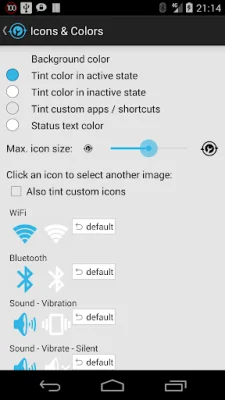
If you are not a fan of the default icons, you can easily change them by clicking on 'Icons & Colors' and using your own icons or downloading alternative icons from the 'Icon Downloader for NT' app. The app icon itself was created by http://www.graphical360.com.
Some permissions are required for certain toggles to work, such as access to network state for WiFi tethering, superuser access for GPS toggling on rooted devices, and access to external storage for loading custom icons. The app also requires permissions for in-app billing, Bluetooth, camera and flashlight, changing network and WiFi settings, managing USB tethering, NFC, and more.
Rate the App














Popular Apps









