

PC Remote
8.0.26 by Monect (Suzhou) Co., Ltd. (0 Reviews) July 31, 2024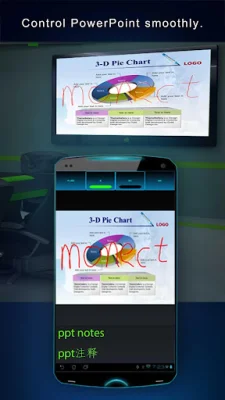
Latest Version
8.0.26
July 31, 2024
Monect (Suzhou) Co., Ltd.
Tools
Android
0
Free
com.monect.portable
Report a Problem
More About PC Remote
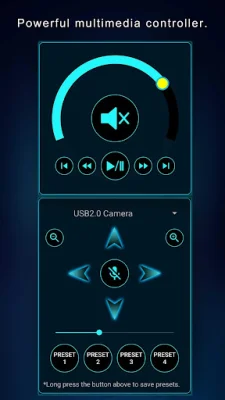
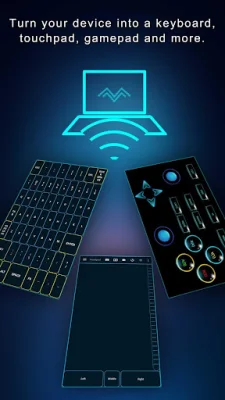
Monect PC Remote is an innovative application that allows you to enhance your PC gaming experience, share your screen and camera in real-time, and boost your productivity with multi-display capabilities. It also offers digital artistry features, effortless file transfer, and top-notch security for secure remote network connections. With Monect PC Remote, your PC becomes a versatile and powerful tool for work, play, and creativity.
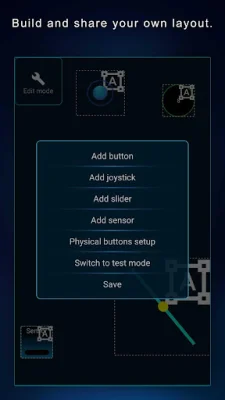
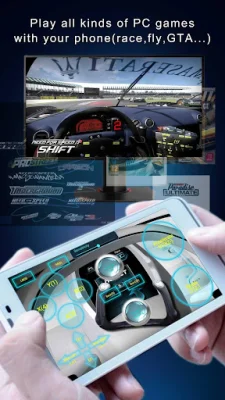
One of the key features of Monect PC Remote is its ability to enhance your gaming experience. With custom button layouts and onboard sensors, you can tailor the controls to your preferences for an unbeatable gaming experience. This allows you to fully immerse yourself in PC gaming and take your skills to the next level.
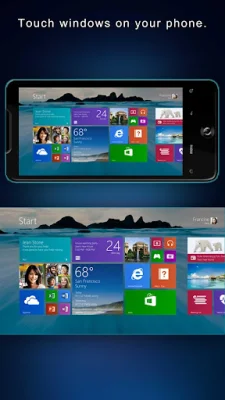
In addition to gaming, Monect PC Remote also offers real-time screen and camera sharing. This means you can seamlessly share your PC screen and camera feed with your smartphone, making it feel like your PC is right in your hand. This feature is perfect for remote work or presentations, as well as for staying connected with friends and family.
Another useful feature of Monect PC Remote is its multi-display capabilities. You can add up to 4 virtual displays to your PC, expanding your workspace and boosting productivity. This is especially helpful for multitasking and managing multiple tasks at once.
For those with a creative side, Monect PC Remote offers digital artistry features. You can turn your device into a graphics drawing tablet with support for pressure-sensitive stylus pens. This allows you to unleash your creativity in software like Adobe Photoshop® and create stunning digital art.
Using Monect PC Remote is simple and easy. First, you need to download the app from Google Play and the PC Remote Receiver from the Monect website on your computer. Then, you can connect your device to your PC using various options such as local or remote Wi-Fi, USB tethering, or Bluetooth. This allows for a seamless connection and effortless file transfer between your devices.
Lastly, Monect PC Remote offers top-notch security with 256 Bit AES Session Encoding for secure remote network connections. This gives you peace of mind while using the app and ensures that your data is protected. Overall, Monect PC Remote is a must-have application for anyone looking to enhance their PC experience and take control of their device in a whole new way.
Rate the App















Popular Apps









