Phone Mirror - Android to PC
3.0.4 by TENORSHARE (0 Reviews) December 20, 2025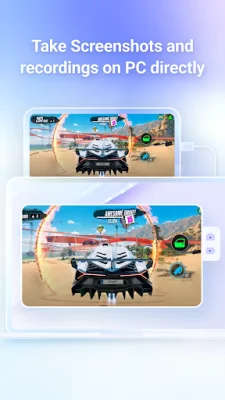
Latest Version
3.0.4
December 20, 2025
TENORSHARE
Tools
Android
0
Free
com.tenorshare.phonemirror
Report a Problem
More About Phone Mirror - Android to PC
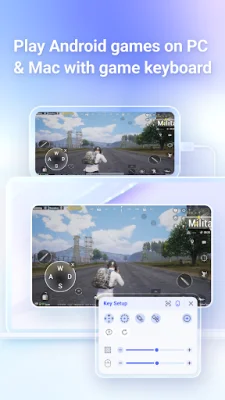
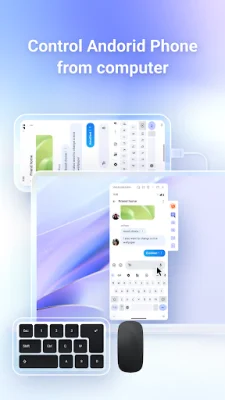
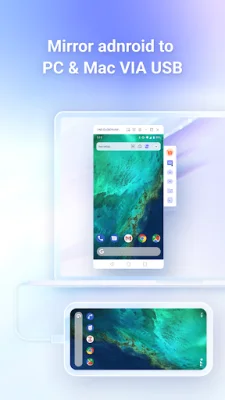
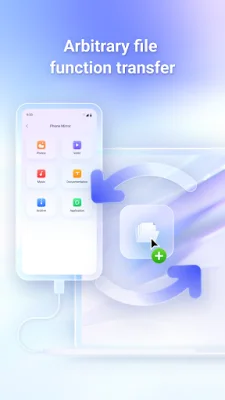
The Phone Mirror app is a useful tool that allows you to mirror your Android device onto your PC. This app must be used alongside its desktop program, which can be downloaded from the Tenorshare website. With this app, you can easily view your Android screen on your PC and control it using a keyboard and mouse. You can also play Android games on your Windows or Mac computer by setting key mappings with the game keyboard feature. Additionally, you can transfer files between your PC and Android device by simply dragging and dropping them.
To use Phone Mirror, you must first download and launch the software on your computer. Then, connect your phone to the computer via USB and enable USB debugging. Next, install and set up the Phone Mirror app on your Android device. Once everything is set up, you can easily drag and drop files between your PC and Android for quick file transfers. You can also use your PC to control your phone or play mobile games.
This app is compatible with a wide range of Android devices, including Samsung, Huawei, Xiaomi, Oppo, and more. It also supports Android versions 6 through 12. Phone Mirror is also compatible with both Windows and Mac operating systems. It is available in multiple languages, including English, Russian, German, French, Italian, Portuguese, Spanish, Japanese, Arabic, Korean, Dutch, Simplified Chinese, and Traditional Chinese.
In summary, Phone Mirror is a convenient and versatile app that allows you to mirror your Android device onto your PC. With its various features, you can easily control your phone, play games, and transfer files between your devices. It is compatible with a wide range of devices and available in multiple languages, making it a useful tool for many users.
Rate the App








Popular Apps









