

Ping & Net
4.3.2 by Ulf Dittmer (0 Reviews) October 22, 2024


Latest Version
4.3.2
October 22, 2024
Ulf Dittmer
Tools
Android
0
Free
com.ulfdittmer.android.ping
Report a Problem
More About Ping & Net
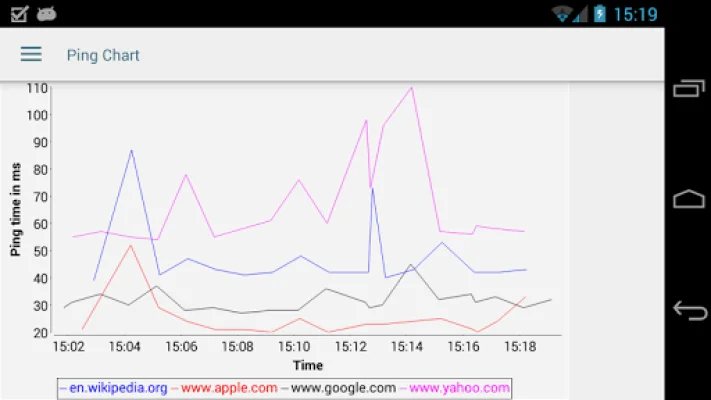
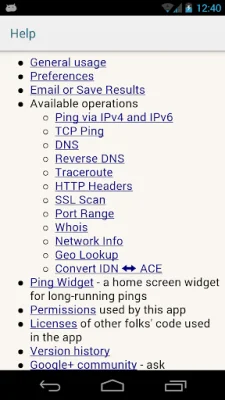
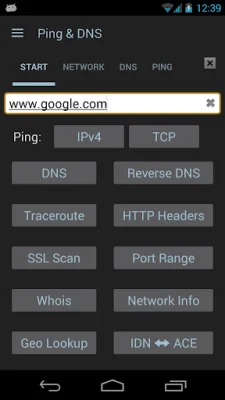
This application is a comprehensive tool for displaying network information and performing diagnostics. It offers a variety of features such as pinging servers, DNS lookups, WHOIS queries, HTTP response header inspection, trace routes, port scanning, SSL version and cipher checks, Path MTU discovery, host location lookup, and more. It also provides details about the current network setup and connection of the device, including netstat information. Additionally, it has a "Wake on LAN" function for waking up machines and a "NetSentry" feature that monitors network interfaces and alerts users when usage limits are close to being exceeded.
The app includes a home screen widget for long-running pings and a Wake-on-LAN widget for waking a specific host. It also remembers recently used hosts, IP addresses, and DNS servers for auto-completion. Users can copy the results, send them via email, or save them as text or PDF files. The app also keeps a history of recent operations for easy access.
There are numerous options available, such as using an alternative name server, adjusting Ping TTL, showing ping times for each traceroute step, using HTTPS, setting the HTTP port number, and selecting DNS record types to query. The app does not contain any ads, providing a seamless user experience.
The developer encourages users to join the Google Group "Ping & Net" for support and assistance with the app. The app requires GPS permission, but this is only accessed if the user enables the "Show Location" checkbox in the Ping Options dialog. This feature is useful for measuring ping times over large areas, but it is not necessary for most users. Location data is stored on the device and is not sent or uploaded anywhere, unless the user attaches the Google Earth file to an outgoing email. Therefore, any negative comments about the GPS permission are unfounded.
In summary, this application is a powerful and versatile tool for network information and diagnostics. It offers a wide range of features and options, without any intrusive ads. The developer also provides support for users through a Google Group. The GPS permission is only used for a specific feature and does not compromise user privacy.
Rate the App















Popular Apps









