

Pixel Studio
by Google LLC (0 Reviews) December 02, 2025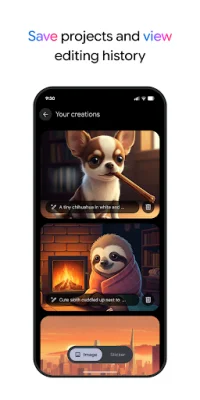

Latest Version
December 02, 2025
Google LLC
Tools
Android
0
Free
com.google.android.apps.pixel.creativeassistant
Report a Problem
More About Pixel Studio
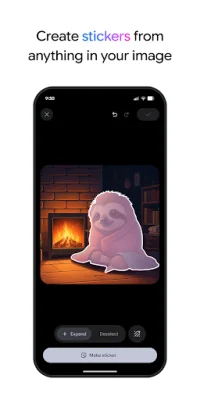
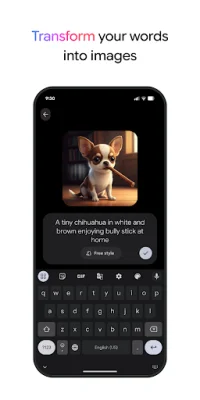
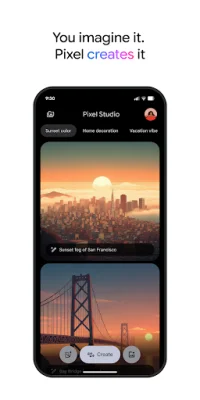
Pixel Studio is an innovative application that allows users to create unique images and stickers using a combination of text descriptions and uploaded images. With this app, users can easily bring their ideas to life by describing a person, animal, place, or thing and letting Pixel generate it for them. Alternatively, users can also upload their own images to use as a base for their creations.
One of the standout features of Pixel Studio is its ability to automatically save stickers created through text descriptions to the user's Studio projects and Google Keyboard (Gboard). This makes it easy for users to access and use their custom stickers while messaging others. Additionally, users can add captions in different fonts and colors, circle and highlight specific areas of an image, and even remove or move items using simple gestures.
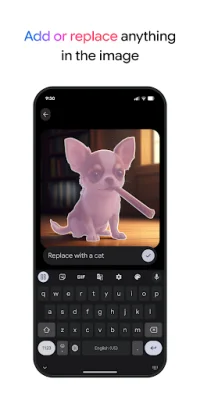
Another exciting feature of Pixel Studio is the ability to insert new items into existing images by simply describing them. This allows for endless possibilities and creativity in image editing. Users can also create stickers directly within Google Keyboard (Gboard) while messaging, making it convenient and seamless to add a personal touch to their conversations.
It's worth noting that some features of Pixel Studio may not be available in certain countries, regions, or languages. However, users can always learn more about the app and its features through the support page provided by Google. Additionally, users can also refer to the terms and policies outlined by Google for the use of their Generative AI technology.
As with all Google products, safety is a top priority for Pixel Studio. Users can rest assured that the app is designed with safety in mind and can learn more about Google's safety measures through their Safety Center. With its user-friendly interface and innovative features, Pixel Studio is a must-try for anyone looking to add a personal touch to their images and conversations.
Rate the App















Popular Apps









