

Quick Settings
2.6.9 by EdgePro (0 Reviews) November 11, 2025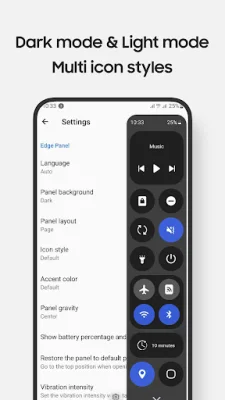
Latest Version
2.6.9
November 11, 2025
EdgePro
Tools
Android
0
$2.49
com.edgepro.controlcenter
Report a Problem
More About Quick Settings
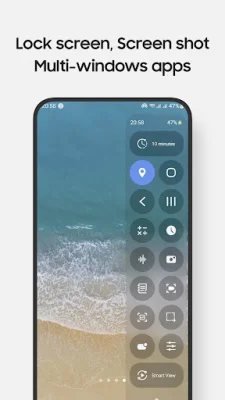
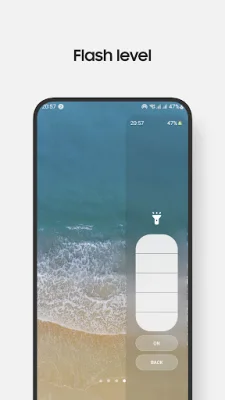
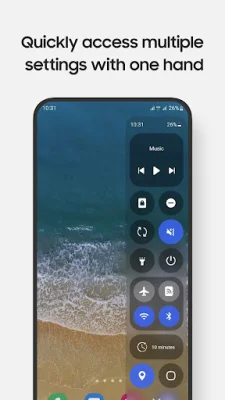
This app, developed by the EdgePro team, is designed for use on Galaxy devices and offers a variety of useful features. With this app, users can easily toggle settings such as Wi-Fi, Bluetooth, and Do Not Disturb, as well as access frequently used apps like Camera, Calculator, and Clock in full-screen or pop-up views. Music playback can also be controlled easily through the app. Additionally, users can take advantage of customizable screen recording options and take screenshots of specific portions of their screen. The app also allows for adjustments to sound and brightness levels, as well as the ability to lock the screen with a single tap.
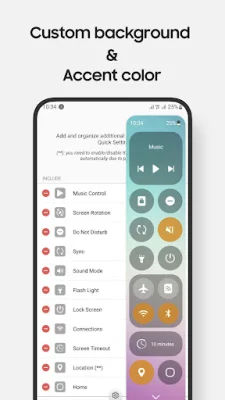
One-handed use is made easier with the ability to pull down the notification bar with just one hand. The app also offers multiple screen timeout options and navigation buttons for Home, Back, and Recents. Users can also scan QR codes and mirror their screen through Smart View. The control panel design and layout can be customized to suit individual preferences, and the app supports Night Mode for a more comfortable viewing experience.
Some features, such as volume and brightness adjustments, may be controlled by taps instead of sliders due to limitations with Edge Panels. Additionally, certain system-level controls, like Airplane Mode and Mobile Data, may need to be toggled manually for user protection. The Lock screen feature may also function differently depending on the device's operating system version.
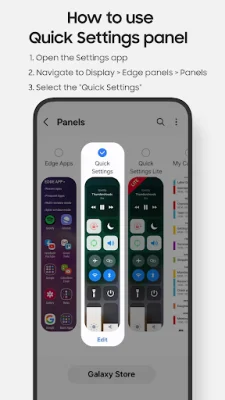
This app is compatible with Galaxy devices that feature Edge Panels, including models from the Note, S, A, and Z Flip series. To use the app, users can enable the Quick Settings panel in the Settings app under Display and Edge panels. After updates, it may be necessary to uncheck and recheck the Quick Settings Panel.
Some features of the app may require certain permissions, which are clearly explained while using them. For example, the Accessibility permission is required for the app to perform certain controls, but it can be disabled in the Settings app. The app also requires permissions for features like screen recording, camera access, and reading phone state. Users can contact the EdgePro team at [email protected] to share their thoughts and feedback on the app.
This app is independently developed for use on Galaxy devices and is not affiliated with or endorsed by other platforms or brands. It offers a unique and convenient way to access and control various settings and features on Galaxy devices, making it a valuable tool for users.
Rate the App














Popular Apps









