Remote Control for Roku TV
1.0.0 by Blue Tools (0 Reviews) July 30, 2024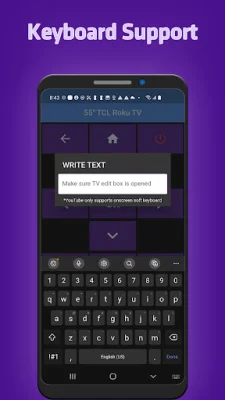
Latest Version
1.0.0
July 30, 2024
Blue Tools
Tools
Android
0
Free
com.bluetools.remoteRoku
Report a Problem
More About Remote Control for Roku TV
If you are looking for a convenient and user-friendly way to control your Roku TV, then our application is the perfect choice for you. Our app is compatible with all Roku TVs, including popular brands such as TCL, Sharp, Insignia, and Hitachi. This means that no matter what type of Roku TV you have, our app will work seamlessly with it.
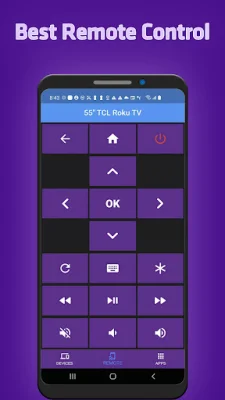
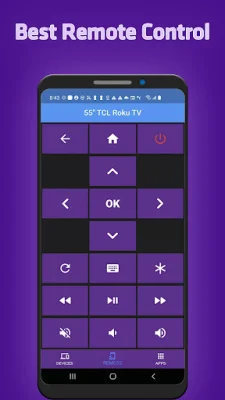
One of the main features of our app is its compatibility with Roku remote controls. This means that you can use our app to control your Roku TV just like you would with a regular remote control. This makes it easy and familiar for users to navigate and control their TV.
Our app also offers automatic connection to Roku, which means that you don't have to go through any complicated setup processes. Once you download our app, it will automatically connect to your Roku TV, making it ready to use right away.
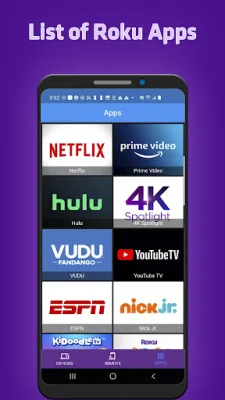
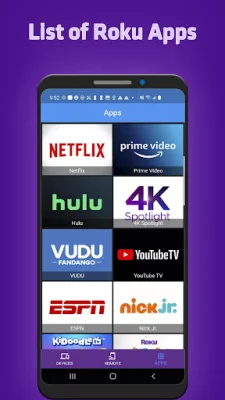
One of the most convenient features of our app is the handy list of apps with large icons. This makes it easy for users to find and access their favorite apps on their Roku TV. Additionally, our app allows you to adjust the volume and switch TV channels on your Roku TV, giving you full control over your TV viewing experience.
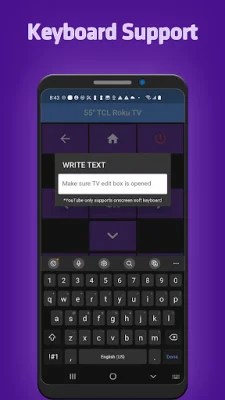
Our app also offers a keypad feature, which allows you to quickly enter text using your phone's keyboard. This makes it easy to search for content or enter login information without having to use the on-screen keyboard. You can also navigate through the app using either buttons or a touchpad, whichever is more comfortable for you.
With our app, you can also control content playback, making it easy to pause, play, rewind, or fast forward through your favorite shows and movies. Our app has a simple and user-friendly interface, making it easy for anyone to use, even if they are not tech-savvy. And for those who have a Wear OS device, our app is also compatible, allowing you to control your Roku TV right from your wrist. So why wait? Download our app now and experience the convenience and ease of controlling your Roku TV like never before.
Rate the App















Popular Apps









