Remote Control For Roku TV Pro
1.3.4 by MoonTechZ Studio (0 Reviews) October 13, 2024
Latest Version
1.3.4
October 13, 2024
MoonTechZ Studio
Tools
Android
0
Free
com.remotecontrol.remoteforroku.tv24
Report a Problem
More About Remote Control For Roku TV Pro
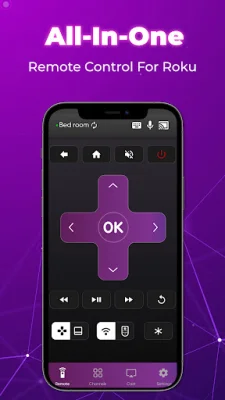
If you have young children who are constantly losing things around the house, or if you're a busy person who can't keep track of your Roku TV remote, then this app is perfect for you! The Roku remote control application is a convenient alternative to a regular TV remote, with added features that make it even more useful. Not only can you control your TV, but you can also access popular channels directly from the app. This means you can easily watch your favorite movies without having to search for the remote or switch between different devices.
With the Roku remote control app, you can control your TV from anywhere in your home as long as your phone and Roku device are connected to the same WiFi network. This makes it easy to turn off the TV in the living room while you're putting your baby to sleep in the bedroom. It's a simple and convenient solution for busy parents or anyone who wants to streamline their TV viewing experience.
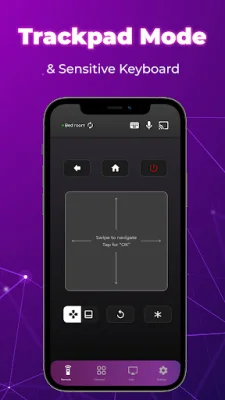
The app has a user-friendly interface that allows you to quickly understand and use all of its features. It automatically scans and connects to your Roku device, and saves all connected devices for easy access in the future. You can also add channels to the app for quick and easy access to your favorite shows and movies.
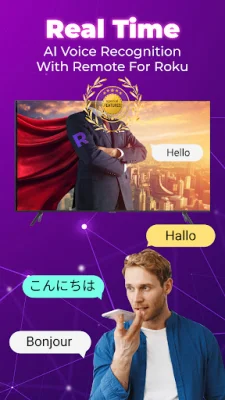
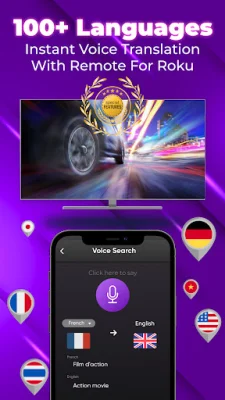
One of the most impressive features of the Roku remote control app is its ability to search for channels using text or voice commands. This makes it incredibly fast and easy to find the content you want to watch. You can also control multiple Roku devices in your home, such as TVs in different rooms, with just one app.
It's important to note that your phone and Roku device must be connected to the same WiFi network for the app to work. And while the app is still in development, the developers are open to feedback and suggestions to make it even better.
To access all of the app's features, users must become VIP members by paying a subscription fee. However, you can try all of the features for free for three days before committing to a subscription. The subscription will automatically renew unless you turn off auto-renewal at least 24 hours before the end of the current period.
Overall, the Roku remote control app is a convenient and efficient way to control your TV and access your favorite channels. It's not affiliated with or endorsed by Roku Inc., but it aims to provide a high-quality and original product for users. So why not give it a try and see how it can simplify your TV viewing experience?
Rate the App






Popular Apps









