Remote Control for RokuTV
1.4.0 by EVOLLY.APP (0 Reviews) July 31, 2024
Latest Version
1.4.0
July 31, 2024
EVOLLY.APP
Tools
Android
0
Free
remote.control.for.roku
Report a Problem
More About Remote Control for RokuTV
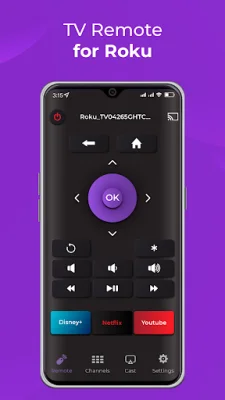
This app is designed to enhance the user experience of RokuTV and RokuTV Player. It has several key features that make it stand out from other remote control apps. One of its main features is its automatic detection of RokuTV and RokuTV Player, making it easy for users to connect and control their devices without any hassle. This feature eliminates the need for manual setup and ensures a seamless connection between the app and the device.
Another great feature of this app is its compatibility with all versions of RokuTV. Whether you have an older model or the latest version, this app will work seamlessly with your device. This makes it a versatile and convenient option for all RokuTV users.
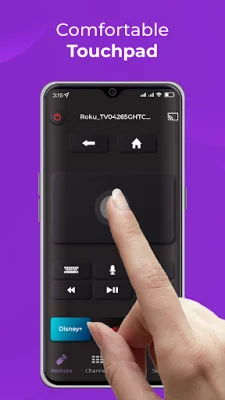
The app also boasts a spacious touchpad, which allows for effortless menu and content navigation. This touchpad is designed to mimic the functionality of a physical remote, making it easy for users to navigate through their RokuTV interface. This feature is especially useful for those who struggle with small buttons or have difficulty using traditional remotes.
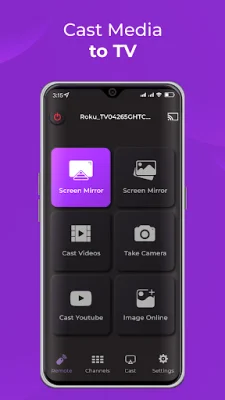
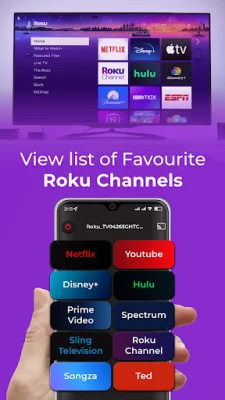
In addition to its touchpad, the app also has the ability to launch channels directly from the app. This means that users can easily access their favorite channels without having to switch between the app and their RokuTV. This feature saves time and makes the viewing experience more seamless.
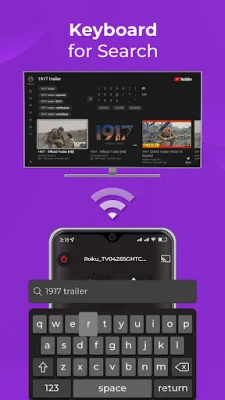
Lastly, the app has a fast and user-friendly keyboard for easy text input. This is particularly useful for searching for content or entering login information for streaming services. The keyboard is designed to be intuitive and responsive, making it easy for users to type in their desired text without any frustration.
In summary, this app is a convenient and user-friendly option for controlling RokuTV and RokuTV Player. Its automatic detection, compatibility with all versions, spacious touchpad, channel launching capabilities, and fast keyboard make it a standout choice for enhancing the RokuTV experience. Whether you're a new or experienced RokuTV user, this app is a must-have for seamless and effortless control of your device.
Rate the App















Popular Apps









