Remote Control for TV , All TV
1.3.2 by Betasoft Mobile (0 Reviews) August 02, 2024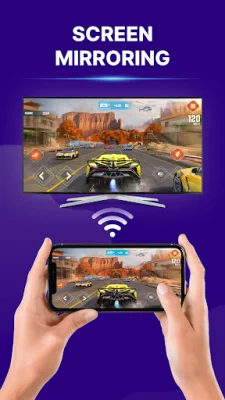
Latest Version
1.3.2
August 02, 2024
Betasoft Mobile
Tools
Android
0
Free
com.tvremote.remotecontrol.tv
Report a Problem
More About Remote Control for TV , All TV
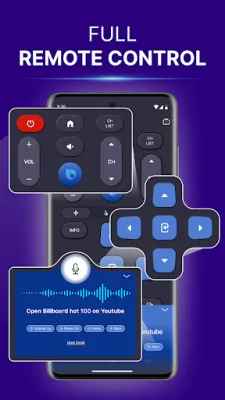
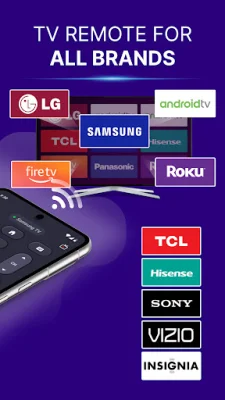
The Remote Control for TV app by Betasoft Mobile is the ultimate solution for managing all your television devices efficiently. With this app, you no longer have to worry about losing or breaking your remote, as it can replace a universal remote for all smart TVs. It is compatible with a wide range of TV brands, including Roku, Hisense, TCL, Samsung, LG, Sony, Fire TV, and Android TV, making it a versatile and convenient option for enhancing your viewing experience.
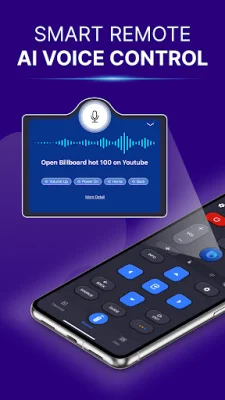
One of the key features of this app is its ability to control all smart TVs seamlessly. This means you can use it to control various TV brands with just one app, eliminating the need for multiple remotes. It also offers AI-voice control, allowing you to search for content and control your TV using voice commands. This hands-free operation is especially useful when you are at a distance from your TV.
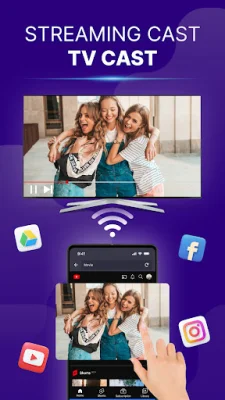
The app also boasts superior features such as a user-friendly interface, keyboard and numeric keypad for easy typing and channel selection, touchpad navigation for intuitive menu control, and app/channels shortcuts for quick access to your favorites. It also allows for casting and screen mirroring from your mobile device to your smart TV, making it easy to share photos, videos, and more.
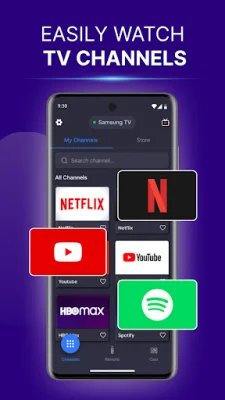
There are many reasons to choose the Remote Control for TV app, including its support for a wide range of TV brands, easy setup and connectivity, fast and intuitive remote control, quick access to favorite channels and apps, and environmentally friendly design. It also offers control over content playback, making it a comprehensive and convenient option for managing your TV.
To use the app, simply ensure that your phone and smart TV are connected to the same Wi-Fi network, download the app from the app store, and scan for your TV device. Once connected, you can enjoy controlling your TV with ease. It is important to note that this app is not endorsed or affiliated with any TV brand mentioned and that by using it, you agree to the terms and conditions outlined in the Privacy Policy and Terms of Use.
The developers of the Remote Control for TV app value feedback and suggestions as they strive to improve the app. If you need further assistance, you can contact them through the "send message" option in the app's settings section. With its convenience, versatility, and user-friendly design, this app is a must-have for anyone looking to simplify their TV viewing experience.
Rate the App















Popular Apps









