
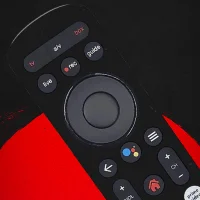
Remote for Airtel xstream box
1.0.10 by Everest App Store (0 Reviews) March 16, 2026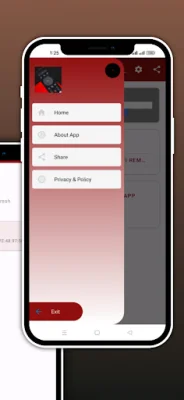
Latest Version
1.0.10
March 16, 2026
Everest App Store
Tools
Android
0
Free
com.RemoteforAirtelXstreamDTHRemote.SabinChy
Report a Problem
More About Remote for Airtel xstream box
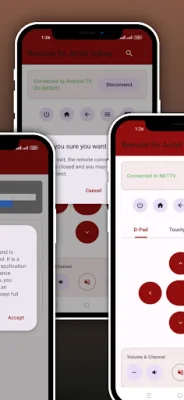
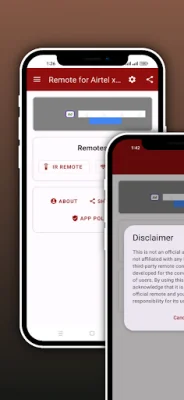
This app allows you to control your Airtel Xstream box using either your Wi-Fi network or the traditional IR blaster. It offers a variety of smart features such as a Live Keyboard, Touchpad, and Auto-Connectivity to make navigating your TV easier and faster. With this app, you have the freedom to choose the mode of connectivity that works best for you.
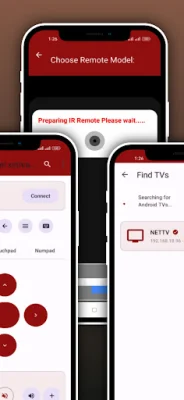
The app has dual connectivity options - Wi-Fi and IR. In Wi-Fi mode, your phone and TV need to be connected to the same Wi-Fi network for smooth and reliable control. This eliminates the need to point your phone at the TV. In IR mode, the app works instantly on smartphones with a built-in IR blaster, without requiring a Wi-Fi connection.
The app also has smart setup and auto-connect features. It automatically scans for Airtel Xstream devices on your Wi-Fi network and remembers your paired devices for quick access later. It also has an auto-connect feature that launches the remote screen and connects to your last used TV instantly.
The app offers advanced navigation controls such as a Touchpad, D-Pad, and Numpad. The Touchpad allows you to navigate the TV's user interface like a mouse, making it easier to browse apps and select content. The D-Pad offers traditional directional buttons for classic navigation, while the Numpad allows you to jump directly to your favorite channel numbers.
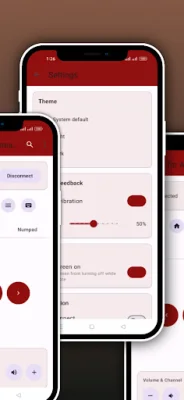
One of the standout features of this app is the Live Keyboard. It allows you to type search queries, passwords, and URLs instantly on your TV screen using your phone, eliminating the hassle of using a remote cursor. The app also has a user-centric design with features like vibration feedback and a modern, dark-mode friendly interface for ease of use.
To use the app in Wi-Fi mode, ensure that your phone and Airtel Xstream box are connected to the same Wi-Fi network. Then, open the app and tap "Scan." Select your device from the list and enter the pairing code if prompted. The app is not an official product of Airtel Xstream and is designed to work with smartphones equipped with IR sensors. For official support and information related to Airtel Xstream, please refer to the official app and services. This app is not affiliated with or endorsed by Airtel Xstream in any way.
Rate the App













Popular Apps









