
Remote Mouse
5.102 by Remote Mouse (0 Reviews) July 30, 2024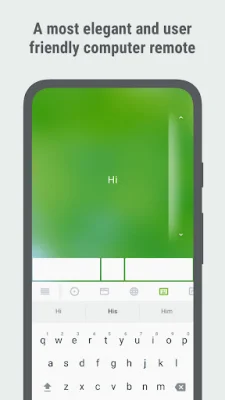
Latest Version
5.102
July 30, 2024
Remote Mouse
Tools
Android
0
Free
com.hungrybolo.remotemouseandroid
Report a Problem
More About Remote Mouse
Remote Mouse is a highly praised computer remote app that has been featured on popular tech websites such as CNET, Mashable, and Product Hunt. With over 20 million users worldwide, it is known for its sophistication and user-friendly interface.
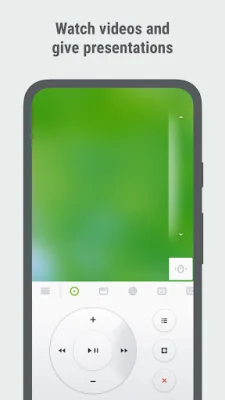
One of the main advantages of using Remote Mouse is the convenience it offers. Whether you're watching a movie, giving a presentation, or simply want to shut down your computer with one click, having a mobile phone remote at your fingertips makes these tasks much easier.
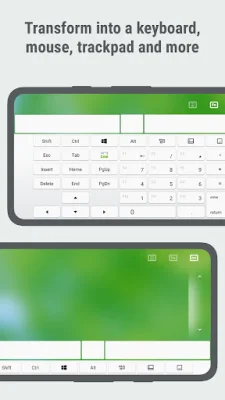
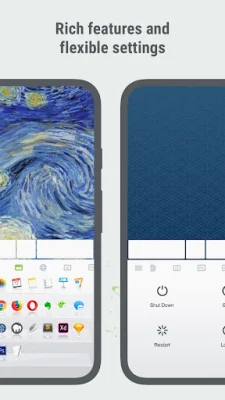
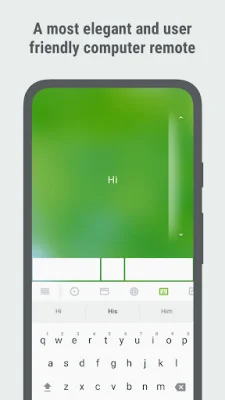
The app offers a variety of functions, including a fully simulated mouse, a gyro mouse that allows you to move the cursor with a gyro sensor, and a left-handed mode. It also has an integrated keyboard that supports typing in multiple languages and even allows for voice typing if the soft keyboard supports voice recognition. Additionally, it supports sending various shortcuts and displays different keypads for Mac or PC.
The touchpad feature simulates the Apple Magic Trackpad and supports multi-touch gestures, making navigation even more seamless. The app also has specialty control panels for media, web browsing, application switching, and power options, allowing you to quickly launch and switch between programs and remotely control functions such as shutting down, sleeping, restarting, and logging off.
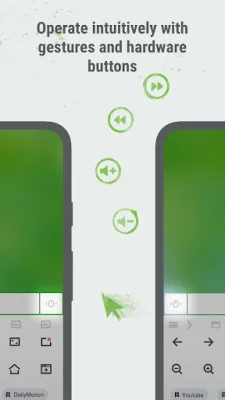
Other notable features of Remote Mouse include cross-device clipboard sharing, the ability to use the physical volume buttons on your mobile device for remote control, setting a password for the connection, and customizable wallpaper. It is compatible with Windows, Mac OSX, and Linux and can be used under Wi-Fi or Bluetooth connections.
To get started with Remote Mouse, you will need to visit their website and download the computer helper. Once installed and running, you can connect your mobile device to the same Wi-Fi or Bluetooth as your computer. Mac users may need to grant access to the app, and a helpful video guide is provided for reference. With its easy setup and wide range of features, Remote Mouse is a must-have for anyone looking to enhance their computer remote experience.
Rate the App















Popular Apps









