Roku TV Remote Controls
100.1 by Ozeito (Pvt) Ltd (0 Reviews) September 11, 2024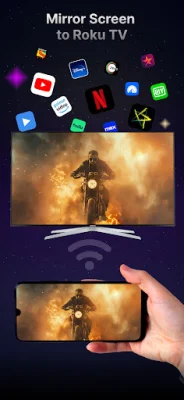
Latest Version
100.1
September 11, 2024
Ozeito (Pvt) Ltd
Tools
Android
0
Free
com.ozeito.roku.remote
Report a Problem
More About Roku TV Remote Controls
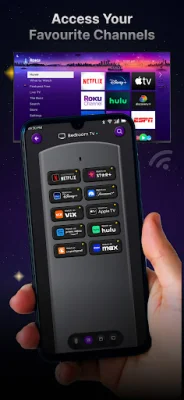
The Roku Remote app is a versatile tool for any Roku user, offering a variety of features to enhance your streaming experience. With this app, you can easily cast content from your phone directly to your Roku TV, making it simple to enjoy your favorite shows and movies on the big screen. Additionally, the app allows for quick access and switching between your favorite Roku channels, making it easier to find and watch your preferred content.
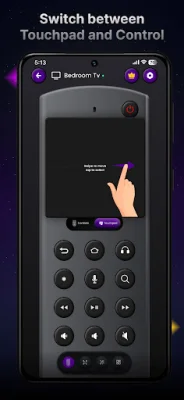
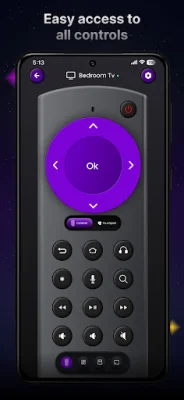
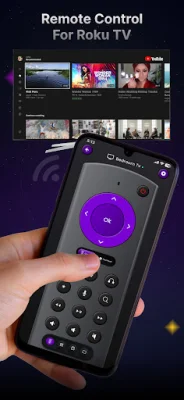
One of the key features of the Roku Remote app is its ability to control your TV's volume with simple taps. This eliminates the need for a separate remote and allows for a more streamlined viewing experience. The app also offers touchpad navigation, providing smooth and intuitive control with a responsive touchpad. This makes it easy to navigate through menus and options on your TV.
Another convenient feature of the Roku Remote app is its voice search capability. With this feature, you can use voice commands to search for shows or control your TV hands-free. This is especially useful for those times when you can't find the remote or simply don't feel like getting up to search for a show.
In addition to these features, the app also allows for keyboard input, making it easy to type in searches, passwords, and more using your phone's keyboard. It also offers effortless WiFi connectivity, allowing you to connect to your Roku device through your WiFi network without the need for any additional hardware. And with universal compatibility, the app works with all Roku Smart TVs and devices, including popular brands like Hitachi, Insignia, and RCA.
One of the most important aspects of the Roku Remote app is its focus on privacy. The app does not track any data, ensuring that your personal information stays private. This is a crucial feature in today's digital age, where privacy is a top concern for many users.
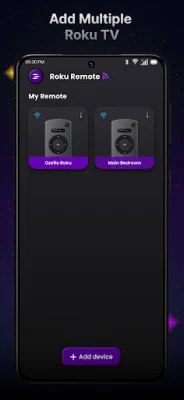
The app is compatible with a wide range of Roku devices and Smart TVs, including models from Hisense, TCL, Westinghouse, Hitachi, Insignia, and RCA. And setting up the app is easy – simply download and install it on your phone, connect to your Roku device via WiFi or manual IP, and enjoy seamless control of your Roku TV or player. With the Roku Remote app, you can control all your Roku devices from one convenient location, making it the ultimate streaming companion.
Rate the App















Popular Apps









