Samsung TV Master Remote
2.0 by Digital World Apps Studio (0 Reviews) September 05, 2024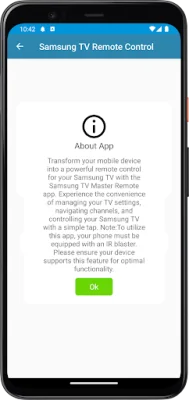
Latest Version
2.0
September 05, 2024
Digital World Apps Studio
Tools
Android
0
Free
com.samsung.TV_remote_control
Report a Problem
More About Samsung TV Master Remote
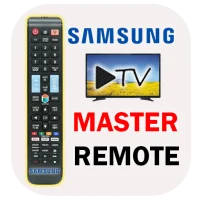
The Samsung TV Master Remote app is a convenient and user-friendly tool that allows you to control your Samsung TV with your mobile device. With seamless connectivity, you can effortlessly connect your phone to your TV and access remote control functions. However, your phone must have an IR blaster for this feature to work.
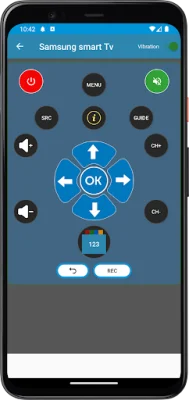
The app boasts an intuitive interface that is designed for easy navigation and quick access to essential controls. This means you can easily adjust the volume, change channels, and power your TV on or off with just a few taps on your phone. It's a great way to simplify your TV-watching experience.
One of the key features of the Samsung TV Master Remote app is its compatibility with a wide range of Samsung TV models. This ensures that you can use the app on various devices without any issues. Whether you have an older model or a newer one, you can enjoy the convenience of remote control access with this app.
Not only does the app offer basic remote control functions, but it also has advanced features such as volume control, channel navigation, and power on/off. This allows for a more enhanced TV-watching experience, with all the necessary controls right at your fingertips.
Before downloading the app, make sure to check if your Samsung TV model is compatible. This app is specifically designed for Samsung TVs, so it may not work with other brands. If you have any questions or feedback, you can contact the app developers at [email protected].
It's important to note that this app is not an official remote app for Samsung TVs. It is created for utility purposes and relies on IR blaster technology. So, make sure your phone has an IR blaster for optimal functionality. With the Samsung TV Master Remote app, you can simplify the way you interact with your TV and enjoy a seamless remote control experience.
Rate the App














Popular Apps









