
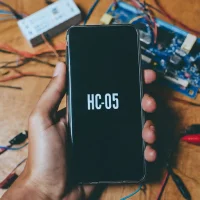
Serial Bluetooth Terminal IEC
by Dharmanshu sharma (0 Reviews) December 03, 2025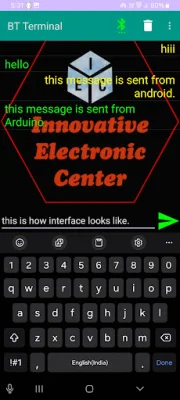
Latest Version
December 03, 2025
Dharmanshu sharma
Tools
Android
0
$2.99
com.innovativeelectroniccenter.serialbluetoothterminaliec
Report a Problem
More About Serial Bluetooth Terminal IEC
This app is designed to help you transfer characters from your android phone to other microcontrollers such as Arduino or Raspberry Pi through a Bluetooth connection. This can be useful for various projects and applications that require communication between your phone and these microcontrollers. The app is easy to use and allows for a seamless transfer of characters, making it a convenient tool for any developer or hobbyist.
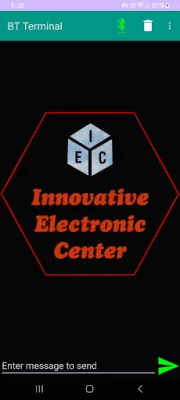
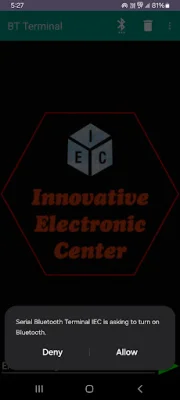
The first step to using this app is to pre-pair your Bluetooth device with your android phone. This can be done through your phone's Bluetooth settings. Once your device is paired, you can open the app and click on the Bluetooth icon to start the connection process.
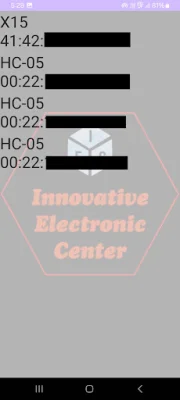
Next, you will see a list of available Bluetooth devices. Select the device you want to connect to from the list. Once the connection is established, the Bluetooth icon in the app will turn green, indicating that your device is ready for communication.
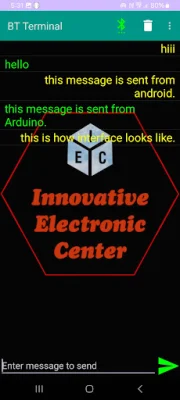
Now, you can start transferring characters from your phone to the microcontroller. This can be useful for a variety of projects, such as controlling LED lights or sensors. The app makes it easy to send and receive characters, making it a valuable tool for any developer or hobbyist working with microcontrollers.
In summary, this app provides a simple and efficient way to transfer characters from your android phone to microcontrollers through a Bluetooth connection. With just a few easy steps, you can connect your devices and start communicating. Whether you are a beginner or an experienced developer, this app can be a useful tool for your projects. So why wait? Download the app now and start exploring the possibilities of Bluetooth communication with your microcontrollers.
Rate the App











Popular Apps









