

Serial Terminal - RS232/485
1.0.0 by HARDCODED JOY S.R.L. (0 Reviews) August 18, 2024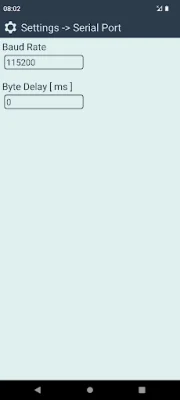
Latest Version
1.0.0
August 18, 2024
HARDCODED JOY S.R.L.
Tools
Android
0
Free
com.hardcodedjoy.serialterminal
Report a Problem
More About Serial Terminal - RS232/485
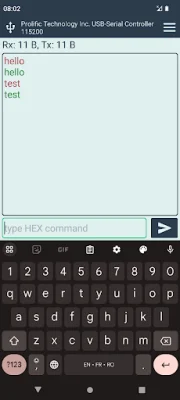
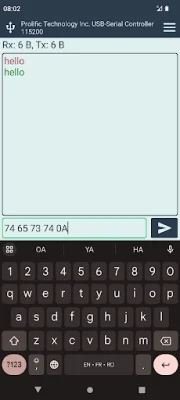
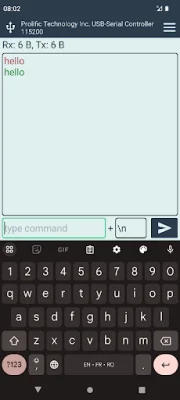
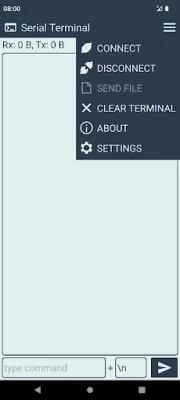
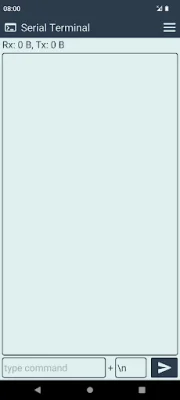
Our application allows for communication with a variety of boards and devices, including Arduino, ESP8266 and ESP32 boards, NodeMCU, and more. These devices typically have a USB connector and a chip that enables USB to Serial communication. To connect, your phone must have USB OTG functionality and be able to provide power to the connected USB device. This is common in most modern phones. You will also need a USB OTG adapter cable, which can be tested by connecting a computer mouse. A normal USB data cable is then used to connect your embedded board or device to the OTG adapter. Note that a symmetrical USB C to USB C cable may not work, so it is best to use a normal cable and OTG adapter. For older boards or devices without a USB port, an external USB to Serial adapter is required. These can be purchased online and typically have a chip inside that handles the USB to Serial communication. Our app is compatible with several chips, including FTDI, PL2303, CP210x, CH34x, and others that implement the standard CDC ACM. Our app offers a variety of features, such as the ability to configure the data format (text or hexadecimal) separately for the terminal screen and command input. It also has a local echo function, allowing you to see what you have sent. The app also includes an Rx Tx counter, adjustable baud rate and byte delay, and font size. For even more features, check out our app "Serial Terminal Pro." We strive to be original and SEO-oriented in our design.
Rate the App















Popular Apps









