

Settings Widget
2.2.2 by sj-apps (0 Reviews) December 14, 2025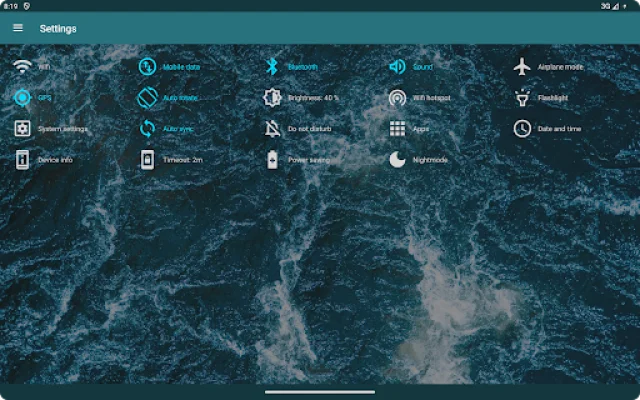
Latest Version
2.2.2
December 14, 2025
sj-apps
Tools
Android
0
Free
com.sjapps.settingswidget
Report a Problem
More About Settings Widget
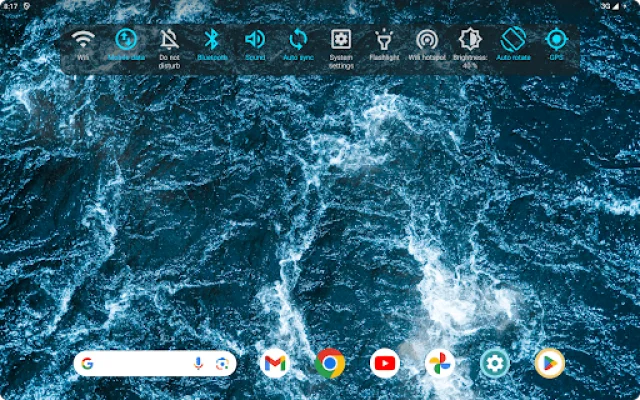
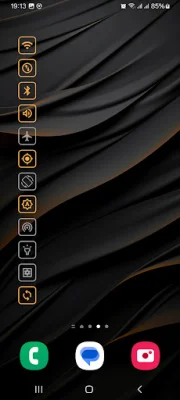
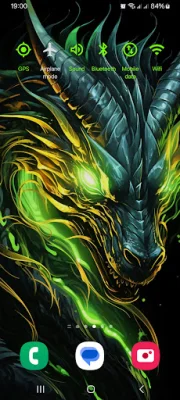
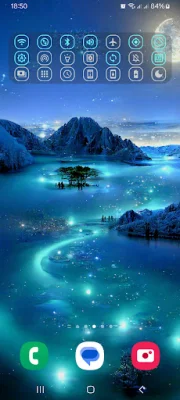
The Settings Widget application allows users to customize their device's settings by creating and adjusting widgets. These widgets can be freely customized in terms of size, number of settings, order, and graphical representation. This gives users the flexibility to create widgets that suit their specific needs and preferences.
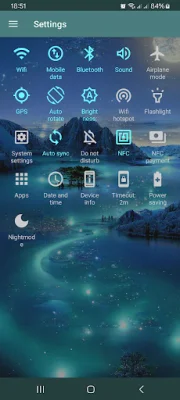
There are 21 settings that the Settings Widget supports, including commonly used settings such as Wifi, mobile data, Bluetooth, and ringer mode. Some of these settings can be toggled on and off directly, while others may require users to access the corresponding system settings for technical reasons. Additionally, there are shortcuts to certain system settings, making it easier for users to access them.
Users can also adjust the graphical representation of the widgets, such as colors and text visibility, to their liking. This allows for a more personalized and visually appealing experience. Some settings, like brightness and screen timeout, can be adjusted directly through the widget, making it more convenient for users.
The Settings Widget also offers shortcuts to various system settings, such as auto sync, do not disturb, and NFC payment. This makes it easier for users to access these settings without having to navigate through their device's menus. Additionally, the widget supports device-specific settings, such as wifi hotspot and power saving, making it a versatile tool for all types of devices.
Overall, the Settings Widget application provides users with a convenient and customizable way to manage their device's settings. With its wide range of supported settings and options for customization, it offers a user-friendly and efficient solution for optimizing device settings.
Rate the App















Popular Apps









