

Shreddit - Data Eraser
5.0.24709 by PalmTronix (0 Reviews) August 20, 2024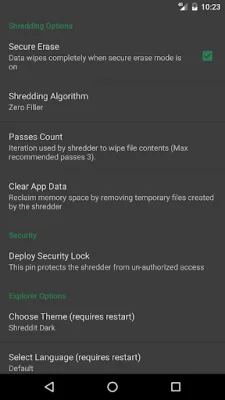
Latest Version
5.0.24709
August 20, 2024
PalmTronix
Tools
Android
0
Free
com.palmtronix.shreddit.v1
Report a Problem
More About Shreddit - Data Eraser
The Shreddit application is a data shredding tool that permanently erases data in a way that it cannot be recovered. This is important to keep in mind as once data is erased using the shredder, it cannot be retrieved by any means. The tool implements various data sanitization techniques that have been developed over decades of research. These techniques have been implemented to ensure the highest level of security for the user's personal data.
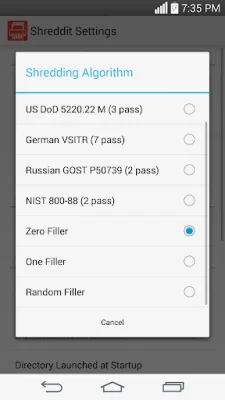
The tool follows a set of data shredding standards, including British HMG IS5, US DoD 5220.22, German VSITR, Russian GOST P50739, NIST 800-88, Zero Filler, One Filler (Secure Erase), and Random Filler (Pseudo Random Numbers). These standards have not been invented by the tool, but rather have been incorporated into the tool for the user's convenience and peace of mind.
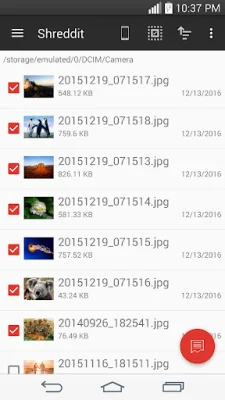
In addition to its own file explorer, the Shreddit application also integrates with the device's built-in file manager or any third-party file manager. This allows for easy access to the user's gallery and personal data. For example, on ES File Explorer, the user can select one or multiple files and choose the option to share them with Shreddit. The app will then take these files as input and shred them permanently.
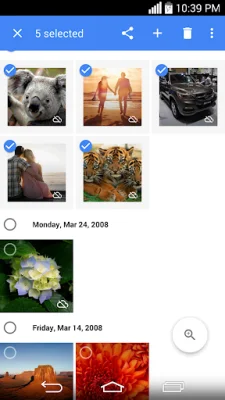
The app also provides a preview of media files, such as photos and videos, to give the user a better understanding of the content they want to securely erase. This feature also allows for integration with the user's favorite photo manager, such as Google Photo. By selecting one or multiple images or videos and sending them to the shredder, the user can permanently erase them.
It is important to note that the app may have some limitations. For example, when shredding a media file from the gallery, the thumbnail of the file may still appear. However, this does not mean that the content of the file has not been permanently erased. To ensure that the thumbnails are synced with the media content, the user can simply re-scan their media. Additionally, for devices with KitKat (Android 4.4) or later versions, super user rights are required to erase external SD cards. This means that the device must be rooted in order to use this feature.
Rate the App















Popular Apps









