
Simple World Clock Widget
20240715.0 by chibatching apps (0 Reviews) August 31, 2024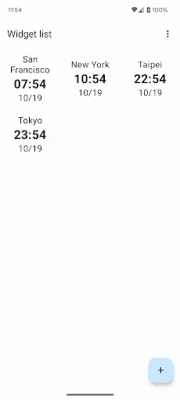
Latest Version
20240715.0
August 31, 2024
chibatching apps
Tools
Android
0
Free
com.chibatching.worldclockwidget
Report a Problem
More About Simple World Clock Widget
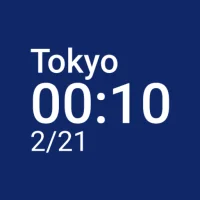
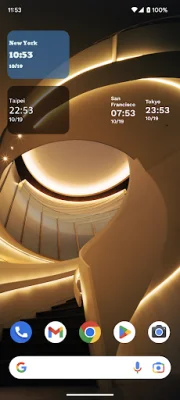
This application is a world clock widget that has been updated with Material design, giving it a sleek and modern look. It allows you to have a simple world clock right on your home screen, customized to your preferences.
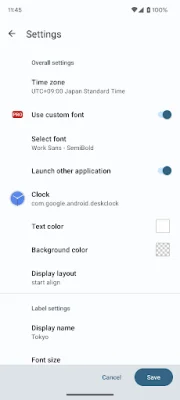
One of the main features of this widget is the ability to set a custom time zone. This means that you can choose which time zone you want the clock to display, making it convenient for those who frequently communicate with people in different parts of the world.
Another customizable aspect of this widget is the background color. You can choose from a variety of colors to match your home screen or personal style. For Pro users, there is also the option to customize the font, allowing for even more personalization.
In addition to the visual customization options, this widget also allows you to set a custom label, text size, and color. This means that you can add a label to the clock, change the size of the text, and choose the color that best suits your preferences.
To make it even more convenient, you can set application shortcuts by tapping on the clock. This allows you to quickly access other applications without having to navigate away from the clock widget.
To add this widget to your home screen, simply long press on the screen and select the Simple World Clock Widget. However, some devices may have a different method for adding widgets, so it is recommended to check the manual of your device for specific instructions. With its user-friendly design and customizable features, this world clock widget is a must-have for anyone looking for a convenient and personalized way to keep track of time.
Rate the App













Popular Apps









