
SMS forwarder auto to PC/phone
2.0.5 by wozhuanapp3 (0 Reviews) August 01, 2024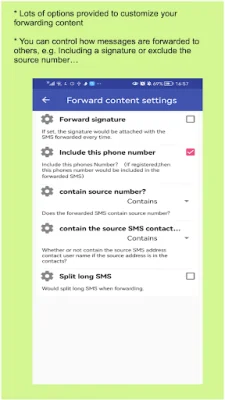
Latest Version
2.0.5
August 01, 2024
wozhuanapp3
Tools
Android
0
Free
com.lanrensms.app
Report a Problem
More About SMS forwarder auto to PC/phone
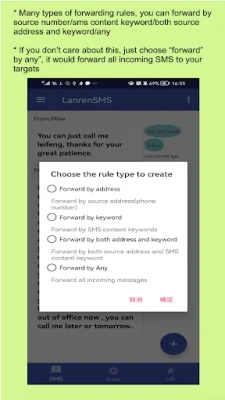
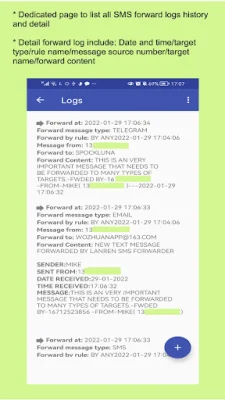
This application allows you to synchronize and forward your SMS and missed calls to another phone or PC. It also supports the history of forwarded messages and the ability to forward via email, Telegram, Wechat, and Slack. You can even create rules to forward messages based on keywords or source address.
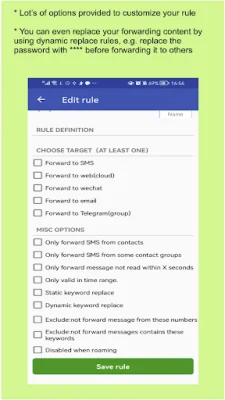
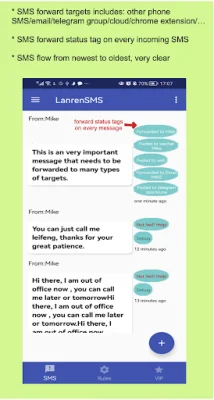
You can forward your messages to another phone via SMS, email, a specified URL, Telegram groups, Wechat, or suggest your own options. The application does not have any ads.
The application works by detecting when a SMS or MMS is sent or received and then applying the user's rules to decide what to do. If the rule matches with the received message, it will be synchronized or forwarded to the second device.
Some typical uses for this application include synchronizing and forwarding messages between a phone and a computer, between a primary and secondary phone, and forwarding authentication messages to another device. You can also request new features for the application.
If someone has asked you to install this SMS forwarder, be cautious as they may be a fraud.
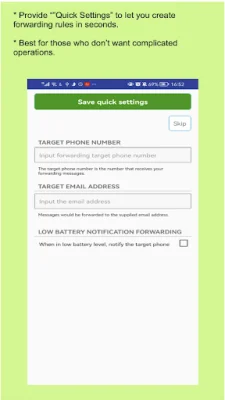
To use the app, first create a forwarding rule. Then, test the rule with a simulated message in the app. Finally, you can send real messages to test the rule.
Other features of the app include the ability to create multiple forwarding rules, automatic retry for failed messages, and the option to create static or dynamic keyword replacement rules. You can also forward messages using cloud email forwarding without providing your SMTP server account and password. The app also has a Telegram bot for receiving messages and the option to use a custom email forwarding template or set a custom web forwarding API URL.
In terms of privacy, the app requires SMS read/send permissions to forward messages in real time. It does not use or save any of your messages or contacts.
Rate the App















Popular Apps









