

Spck Editor / Git Client
by Leaf Stack Studio (0 Reviews) March 18, 2026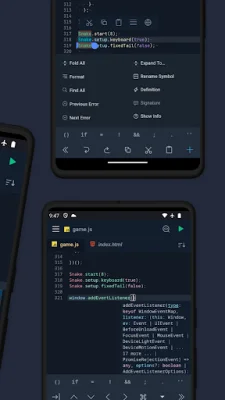
Latest Version
March 18, 2026
Leaf Stack Studio
Tools
Android
0
Free
io.spck
Report a Problem
More About Spck Editor / Git Client
This application is designed to help users back up their projects before uninstalling the app. It is important to back up projects because if the app is uninstalled without doing so, the data will likely be lost. However, upgrading or updating the app should not cause any issues.
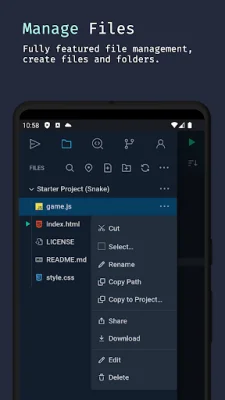
The app has a variety of features to assist with coding and project management. Users can clone both public and private repositories, but this requires app tokens. There is also a quick snippets keyboard for faster code edits, as well as Git client integration for tasks such as checkout, pull, push, commit, and log. The app also has a diff viewer for projects that use Git.
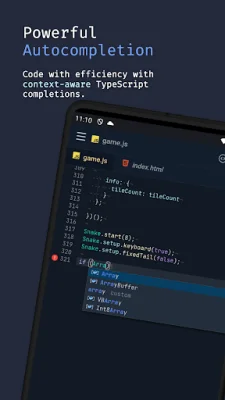
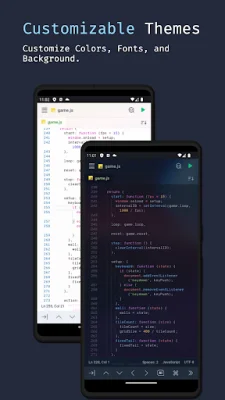
Users can preview HTML and Markdown files on their device, as well as search for projects and files within the app. The app also offers code syntax analysis and a smart auto-completer, making coding more efficient. There is also a code completion and context provider, as well as auto code-indentation. Users can choose between light and dark themes for their coding environment.
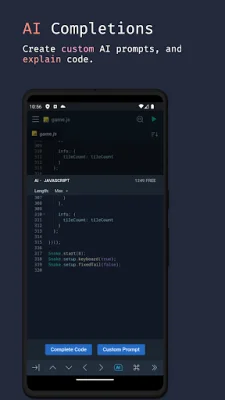
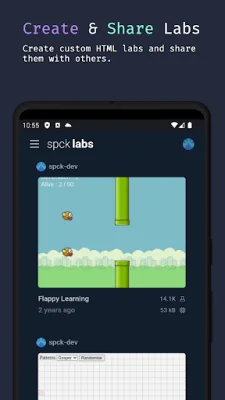
The app also allows for the export and import of projects and files to a zip file. There is a CSS color selector and cool JavaScript labs for users to experiment with. A new feature is AI code completion and code explanations, which can be helpful for users who are learning to code.
The main languages supported by the app are JavaScript, CSS, HTML, and Markdown. There is also smart code-hinting support for TypeScript, JavaScript, TSX, JSX, CSS, Less, SCSS, and HTML (with Emmet support). Other popular languages are also supported, but only for syntax highlighting. These include Python, Ruby, R, Perl, Julia, Scala, Go, Java, Kotlin, Rust, C, C++, C#, PHP, Stylus, CoffeeScript, Pug, Shell, Batch, OCaml, ActionScript, Coldfusion, and HaXe. The app is constantly expanding its language support, so there may be even more options available in the future.
Rate the App















Popular Apps









