

Speaki - Voice Notifications
1.21.3 by Shahar David (0 Reviews) October 20, 2024

Latest Version
1.21.3
October 20, 2024
Shahar David
Tools
Android
0
Free
com.one.speakify
Report a Problem
More About Speaki - Voice Notifications
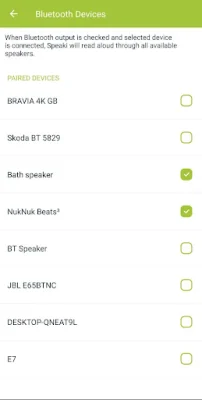
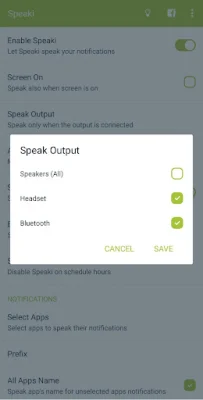
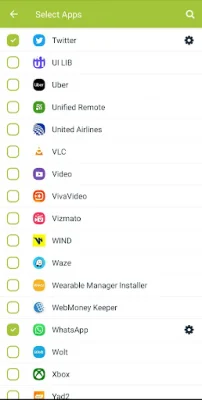
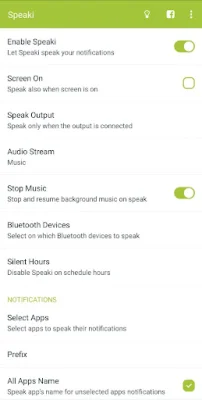
Speaki is an application that helps users manage their notifications by reading them aloud. It is a smart app that learns to only read relevant text from notifications, making it easier for users to stay updated without being overwhelmed by unnecessary information. Users have the option to select which apps they want Speaki to read aloud, giving them more control over their notifications.
One of the key features of Speaki is its ability to protect user privacy. Users can choose when the app should read notifications, ensuring that sensitive information is not read aloud. The app also has a silent hours feature, which allows users to set specific times when Speaki will not read notifications.
In addition to reading notification titles and summaries, Speaki can also read the full content of notifications. This is useful for users who want to stay updated on important information without having to open the app or read the entire notification themselves.
For Android 8.1 and below, Speaki also has a caller ID feature that speaks the caller's name or number when receiving an incoming call. This can be helpful for users who are unable to check their phone or see the caller ID.
Speaki also offers convenient ways to stop the app from reading notifications. Users can shake their device, double press the power key, or press the stop/play button on their headset to stop Speaki from reading. The app also has a quick enable/disable switch and tile for easy access.
It is important to note that Speaki can only read notifications in languages that are supported by the device's Text-to-Speech engine. Users can use the default TTS engine on their device or download a different one from the Google Play Store. The app currently supports a wide range of languages, including English, Spanish, French, and more. Users can also request new features or report bugs to improve the app's functionality.
Rate the App














Popular Apps









