

Stock Realtime
2.0.0 by Bishinews (0 Reviews) September 29, 2024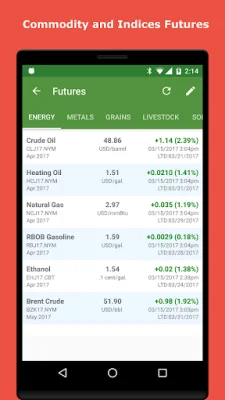

Latest Version
2.0.0
September 29, 2024
Bishinews
Finance
Android
0
Free
com.bishifinance
Report a Problem
More About Stock Realtime
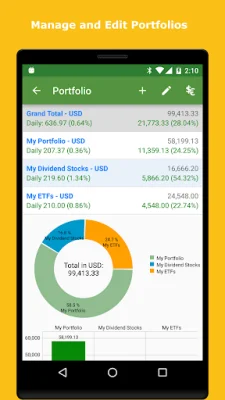
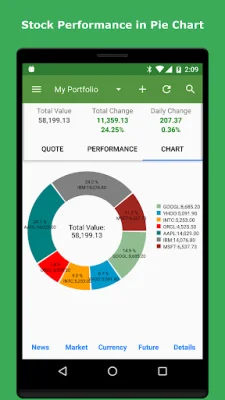
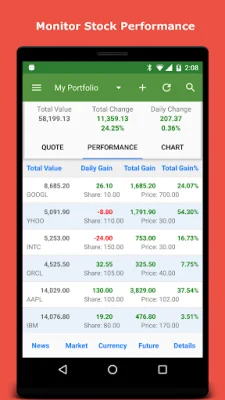
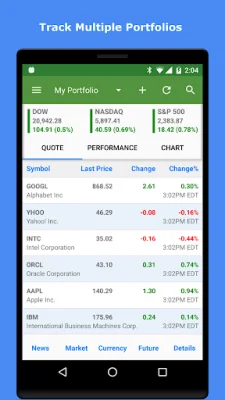
The Stock Quote application provides users with real-time and after-hour quotes for stocks on the NYSE and NASDAQ exchanges. It also offers technical charts with indicators such as MACD, MFI, ROC, and RSI. Users can track their portfolios by adding shares and cost information, and can also access information on penny stocks, stock screeners, and stock option chains. The app also includes portfolio performance charts, a calendar view of stock prices, and the ability to set stock price alerts and auto-refresh options.
In addition to stock information, the app also provides a market overview with major indices from around the world, as well as information on market movers, gainers, and losers. Users can also view market performance through ETFs, mutual funds, and interest rates. The app also includes market volatility indices and information from popular finance websites.
The News section of the app offers breaking market news from major sources globally, as well as news from social media sites for each stock. Users can also access business news and stories, stock-related news, and market and business news from YouTube. The app also includes stock news from social media platforms like Facebook and Twitter.
The Currency section of the app allows users to track their currency portfolios, convert currencies, and access currency news and charts. It also includes information on cryptocurrencies. The Futures section provides information on commodity and index futures, as well as commodity futures chains.
The app also offers various research tools such as US Market Signals, US Stock Insider Trading, and a Stock Screener. Users can also use the app's Stock Return Calculator, Pivot Point Calculator, and Fibonacci Calculator.
Other features of the app include widgets for stocks, portfolios, currencies, and commodities, as well as a stock earning calendar and an economic calendar. Users can also back up their data to Google Drive, Dropbox, or their device's SD card. The app also allows users to export and import stock quotes in CSV format.
Users can also connect to their PC via network to view their portfolios on a larger screen and perform tasks such as viewing quotes, charts, news, and market information. They can also add or edit portfolios and stocks, download portfolio data to their PC, and connect via WiFi, device WiFi hotspot, or USB tethering.
The app is 100% free with no hidden charges or in-app purchases. The permissions requested by the app are for the purpose of backing up data to external storage. Users can contact the developer directly with any questions or feature requests.
Rate the App















Popular Apps









