

T-Mobile Fiber: Gigaspire
by T-Mobile USA (0 Reviews) December 01, 2025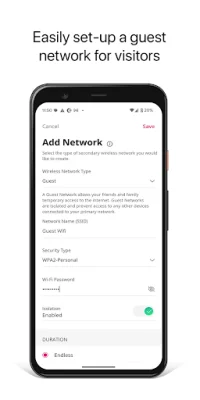



Latest Version
December 01, 2025
T-Mobile USA
Tools
Android
0
Free
com.tmobile.fiber
Report a Problem
More About T-Mobile Fiber: Gigaspire
This application allows users to easily manage their Wi-Fi network by providing options to change the network SSID or password. This is useful for users who want to personalize their network or improve its security. With just a few clicks, users can update their network information and ensure that their network is secure and easily identifiable.
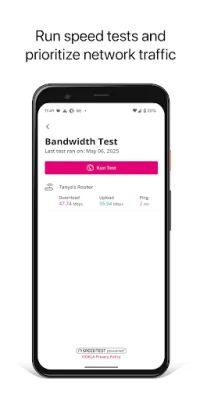
In addition to managing network information, this application also allows users to run bandwidth tests to monitor their network's performance. This is helpful for users who want to ensure that their network is running at optimal speeds and identify any potential issues that may be affecting their network's performance.
Users can also view and assign connected devices to different profiles, places, or priority networks. This feature allows for better organization and management of devices on the network. Users can easily assign devices to specific profiles or places, making it easier to keep track of which devices are connected and where.
Another useful feature of this application is the ability to create guest, work-from-home, or custom wireless networks. This is especially helpful for users who want to provide temporary access to their network for guests or create a separate network for work-from-home devices. Users can also customize their wireless networks to fit their specific needs.
Finally, this application offers parental controls that allow users to schedule network or internet downtime, block advanced security options, and access new capabilities. This is a great feature for parents who want to limit their children's internet usage or for users who want to restrict access to certain websites or features. With these parental controls, users can have peace of mind knowing that their network is safe and secure for their family. Overall, this application provides a comprehensive and user-friendly solution for managing and optimizing Wi-Fi networks.
Rate the App















Popular Apps









