TV Cast - Remote Chromecast
1.1.3 by ToolsLab (0 Reviews) September 12, 2024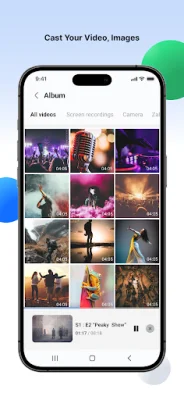
Latest Version
1.1.3
September 12, 2024
ToolsLab
Tools
Android
0
Free
com.toolslab.remoteandroidtv
Report a Problem
More About TV Cast - Remote Chromecast
The Chromecast: Screen Mirroring application is now available for all Chromecast products, including Chromecast, Chromecast Audio, and Android TV & Google TV with Chromecast enabled. This means that no matter which Chromecast device you have, you can now use this application to mirror your phone or tablet screen onto your TV.
This application has a variety of uses, making it perfect for a wide range of situations. For example, it can be used to make effective presentations in business meetings or sharing sessions. It can also be used to screen share fitness videos, allowing you to work out more effectively by casting them to your TV. Additionally, you can mirror your phone screen to your TV, including games and other popular mobile apps. This allows for a more immersive and enjoyable experience.
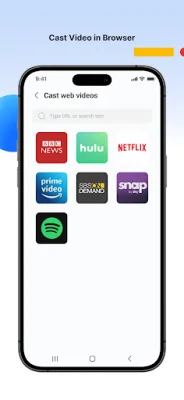
Another great feature of this application is the ability to cast online videos from your phone to your TV. This means that you can watch web videos on a bigger screen, making for a more enjoyable viewing experience. You can also use this application to watch your favorite shows, movies, and live channels on a bigger TV screen. This is perfect for those who want to enjoy their favorite content on a larger display.
In addition to these features, you can also use this application to cast your family photos, travel photos, and live photos to your TV at a family party. This allows for a more interactive and engaging way to share memories with your loved ones. You can also play music from your phone to your home TV with great sound quality, making it perfect for parties or gatherings.
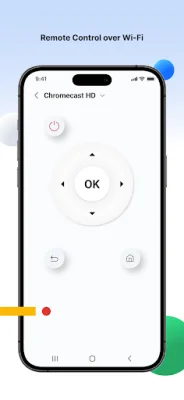
For those in the education field, this application also has a useful feature that allows you to cast your teaching documents to your students' Mac or Windows PC. This makes it easier to conduct teaching work and share important information with your students. Additionally, this application can be used as a remote control for your Google TV, Android TV, and Sony TV, eliminating the need for a physical TV remote.
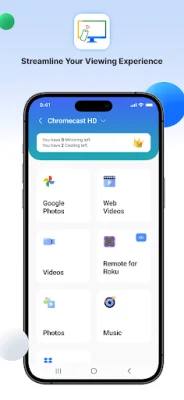
Some of the key features of this application include screen mirroring, casting videos and photos from your phone to your TV, casting web videos, music, Dropbox files, and Google Photos to your TV. This makes it a versatile and comprehensive tool for all your casting needs. With so many features and capabilities, this application is a must-have for anyone with a Chromecast device.
Rate the App















Popular Apps









