TV Remote - Control Roku & All
by Lyra mob (0 Reviews) May 15, 2026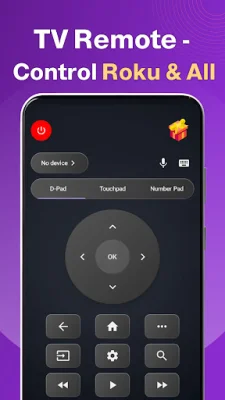
Latest Version
May 15, 2026
Lyra mob
Tools
Android
0
Free
com.ai.we.tvremote
Report a Problem
More About TV Remote - Control Roku & All
This application is a convenient and efficient way to control your Roku TV and other smart TVs using your mobile phone. It offers a variety of features such as voice control, touchpad control, fast Wi-Fi control, and IR control, making it a powerful replacement for traditional physical TV remotes. With this app, you can easily control multiple brands of smart TVs all within one single app.
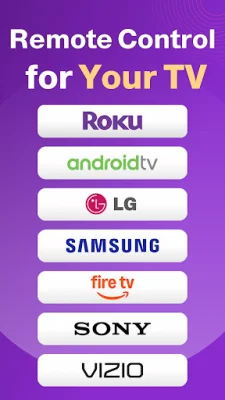
One of the key features of this TV remote control app is its universal compatibility. It supports a wide range of TV brands including Roku, Vizio, LG, Samsung, Fire TV, TCL, Sony, Hisense, and Philips. This means you can use it to control any of these TVs without needing a separate remote for each one. The app also offers stable Wi-Fi control, making it easy to connect and control your TV from anywhere.
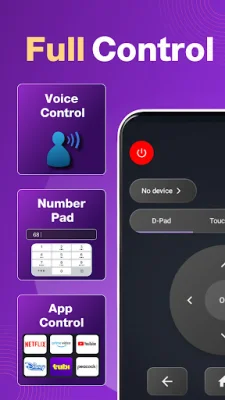
The app's voice control feature allows for hands-free operation of your Roku TV and other smart TVs. You can use voice commands to search for movies, apps, and channels, making it faster and more convenient than traditional remote control typing. It also works with popular streaming platforms like Netflix, YouTube, Prime Video, and Hulu.
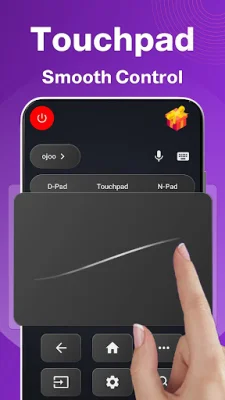
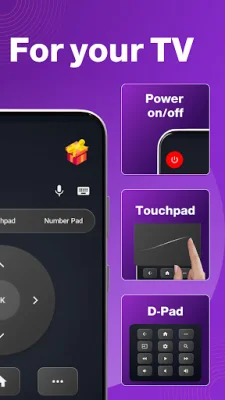
In addition to voice control, the app also offers touchpad control for smooth and precise navigation of your Roku TV menus and smart TV apps. It also has a smart keyboard feature for easy typing on your TV, making it perfect for search, login, and passwords. The app also allows for power and volume control, as well as playback control for streaming apps.
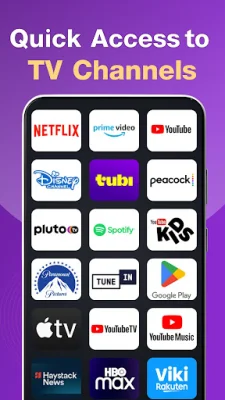
Other useful features of this TV remote control app include quick launch shortcuts for popular streaming apps, screen mirroring and cast control, and auto device detection for easy connection to your TV. It is lightweight, stable, and designed for everyday use, making it the perfect replacement for a physical TV remote. Plus, with no batteries required and no risk of losing the remote, it is a reliable and convenient option for controlling your TV. To use the app, simply install it, connect your phone and TV to the same Wi-Fi, select your TV from the detected list, and start using your TV remote control instantly.
In summary, this Roku TV remote control app offers a wide range of features and compatibility, making it a convenient and efficient way to control your TV. It is designed to be user-friendly and reliable, making it the perfect choice for anyone looking for a replacement for their physical TV remote. Give it a try and experience the convenience of controlling your TV with your mobile phone.
Rate the App

Popular Apps









