Universal Clock-7
2.2 by StyleSeven.com (0 Reviews) October 22, 2024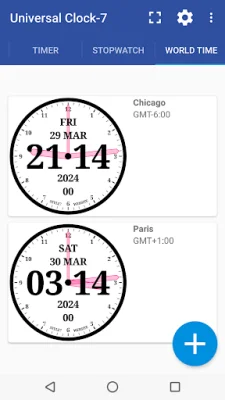


Latest Version
2.2
October 22, 2024
StyleSeven.com
Tools
Android
0
Free
style_7.universalclock_7
Report a Problem
More About Universal Clock-7
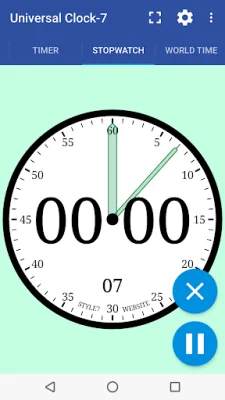
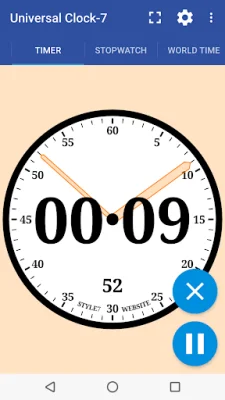
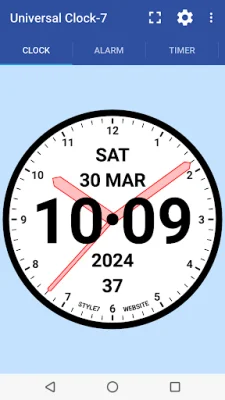
The Clock app is a versatile and customizable timekeeping tool that offers seven different functions: clock, alarm clock, timer, stopwatch, world clock, clock as live wallpaper, and topmost/overlay/float clock. It also has the added feature of being available as an app widget for Android 12+ and a fullscreen clock.
The app allows for unified settings for all seven tools, giving users the ability to choose between analog, digital, or both types of clocks. The main purpose of the app is to make it easy for users to read the current time, date, month, day of the week, year, and seconds. This information is displayed above the analog clock, and users can easily set the clock as a live wallpaper or app widget.
In addition to the clock function, the app also includes a world clock feature that can display an unlimited number of countries or cities with different time zones. Users can also customize the appearance of the clock, including selecting primary and secondary colors, background color, and font from four standard options.
The app also has a built-in alarm clock with the ability to add an unlimited number of alarms, filter by days of the week, and select a ringtone. The alarm also has features such as smooth volume increase, adjustable duration, and a delay option.
The world clock feature allows users to search for a location in the local database or add a custom place with a name and time zone. The analog clock can also be used as a topmost or overlay clock, meaning it will be displayed under all windows. Users can adjust the position and size of the clock by using the drag and drop method.
The app supports all local date and time formats, as well as all screen resolutions without losing quality, including HD and 4K displays. It also works in both portrait and landscape orientations. With its various features and customizable options, the Clock app is a convenient and user-friendly tool for keeping track of time.
Rate the App















Popular Apps









