Universal TV Remote - All TVs
1.20.1 by PrizePool Studios (0 Reviews) July 15, 2026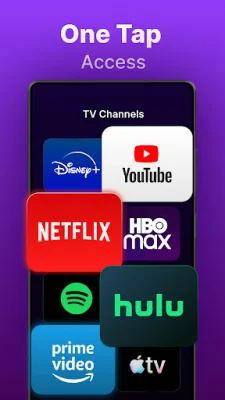
Latest Version
1.20.1
July 15, 2026
PrizePool Studios
Tools
Android
0
Free
com.prizepool.universal.tv.remote
Report a Problem
More About Universal TV Remote - All TVs
If you're tired of constantly searching for lost remotes or buying batteries, Universal TV Remote - All TVs is the perfect solution for you. This app allows you to control all of your TVs with just one device - your phone. With this app, you can easily stream content, mirror your screen, and access features that your physical remote may not have.
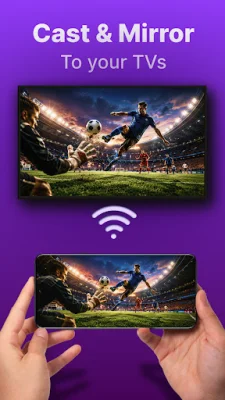
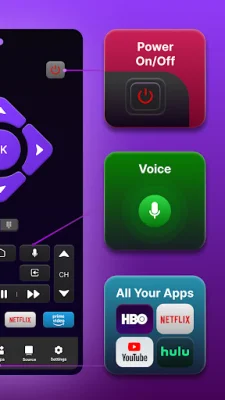
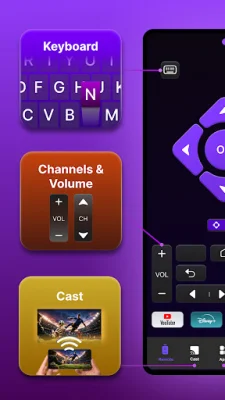
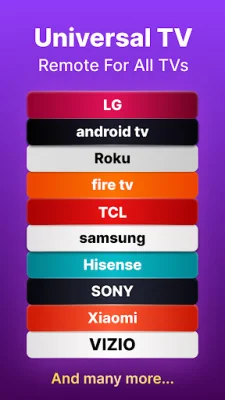
The app's top features include dual connection capabilities (WiFi for Smart TVs and IR Blaster for traditional TVs), universal compatibility with major TV brands such as Samsung, LG, Roku, Amazon Fire TV, and more, screen mirroring and casting, voice control, a smart keyboard for fast text input, touchpad navigation, and full remote functions.
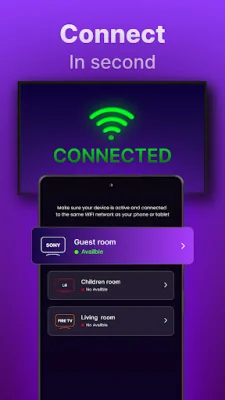
Universal TV Remote - All TVs is compatible with all major smart TV and streaming platforms, making it a versatile and convenient option for anyone with multiple TVs in their home. The app is also incredibly easy to set up - simply download it, connect your phone and TV to the same WiFi network, and select your TV brand from the list. For traditional TVs, you can simply point your phone's IR blaster at the TV and select the brand.
What sets this TV remote app apart is its combination of reliability and convenience. It offers all the features of a physical remote, but with the added convenience of being on your phone. You can easily cast photos and videos, use voice search, and control multiple TVs from one app. This makes it perfect for replacing lost or broken remotes, controlling TVs in different rooms, or even controlling hotel TVs while traveling.
Universal TV Remote - All TVs is the ultimate TV controller for Android users. It's perfect for anyone looking to declutter their coffee table or for streaming enthusiasts who need a keyboard for searching. The app is available for download now and requires a phone and TV on the same WiFi network for smart TVs, or an Android device with a built-in IR blaster for traditional TVs. It's compatible with Android 5.0 or higher and offers support and privacy through the developer's website. Please note that this app is not affiliated with any TV manufacturers mentioned.
Rate the App










Popular Apps









