Universal TV Remote for All TV
by Mind Stream Logics (0 Reviews) March 18, 2026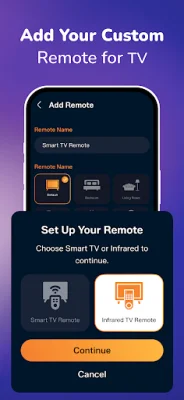
Latest Version
March 18, 2026
Mind Stream Logics
Tools
Android
0
Free
com.mind.stream.logic.simple.fazremoteapp
Report a Problem
More About Universal TV Remote for All TV
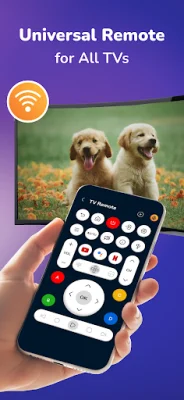
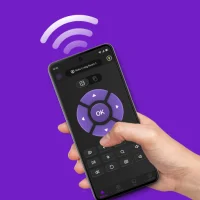
Tired of constantly searching for multiple remotes or replacing lost batteries? Look no further than Universal TV Remote, the ultimate solution for seamless TV control. This app transforms your smartphone into a powerful, all-in-one remote for both modern Smart TVs and traditional televisions with Infrared (IR) receivers.
With its universal compatibility, Universal TV Remote works via WiFi for Smart TVs and IR blaster for older TV models. It also features auto-detection, instantly connecting to Smart TVs on your WiFi network. The responsive touchpad allows for easy navigation of menus and apps, while the keyboard input feature eliminates the need for tedious hunting-and-pecking when searching for movies and shows.
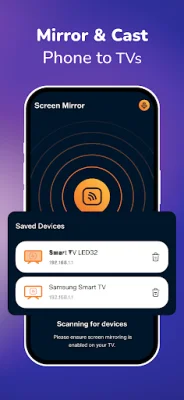
But that's not all - Universal TV Remote also offers screen mirroring and casting capabilities, allowing you to display your local photos and videos on the big screen with minimal latency. And with full playback control, you can easily manage volume, channels, power, and fast-forward/rewind with just a few taps.
Using Universal TV Remote is a breeze. Simply download the app, select your TV brand or streaming stick from the list, and pair your device (ensuring both are on the same WiFi network for Smart features). Then, you're all set to enjoy total control from the palm of your hand.
If you encounter any issues, there are a few troubleshooting tips to keep in mind. Make sure your phone and Smart TV are connected to the same WiFi network. If you experience lag, try rebooting your TV and restarting the app. And don't forget to keep your app updated to the latest version for the best support for newer TV models. For older TVs, make sure your phone has a built-in IR blaster for optimal performance.
Rate the App









Popular Apps









