USB WiFi Monitor
1.2.0 by Emanuele Faranda (0 Reviews) December 15, 2025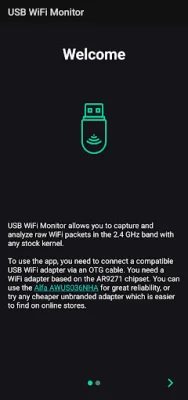
Latest Version
1.2.0
December 15, 2025
Emanuele Faranda
Tools
Android
0
Free
com.usbwifimon.app
Report a Problem
More About USB WiFi Monitor
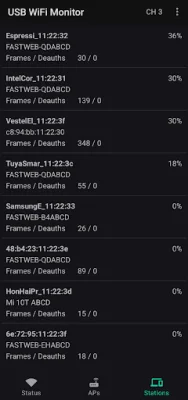
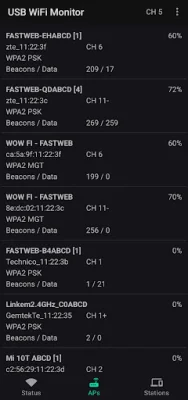
This app is designed for Android devices and requires a USB WiFi adapter with the AR9271 chipset to function properly. This adapter must be connected to the Android device using an OTG USB cable. The app has several features including the ability to show nearby access points and stations, capture WiFi management and data frames, and switch between automatic channel hopping and a fixed channel. It supports 802.11bgn, but not the newer ac standard.
To use this app, you will need to purchase a WiFi USB adapter that is based on the AR9271 chipset. The Alfa AWUS036NHA is a recommended option, but there are also cheaper unbranded adapters available online. Once you have the adapter, you will need to connect it to your Android device using a USB OTG cable. It is important to note that non-OTG cables will not work with this app.
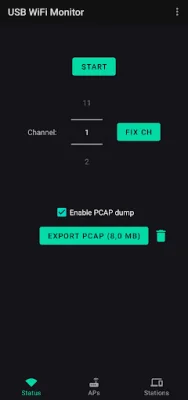
After connecting the adapter, a popup will appear on your device. You will need to grant the app, "USB WiFi Monitor," permission to access the USB device. Once this is done, you can hit the Start button in the app to begin capturing frames. If the capture is stopped due to an error, you will need to unplug and re-plug the adapter.
For more information on the app's API, you can refer to the documentation on GitHub at https://github.com/emanuele-f/UsbWifiMonitorApi. It is important to be original and SEO-oriented when using this documentation. This app is a useful tool for monitoring and capturing WiFi frames, and it requires a specific type of USB WiFi adapter to function properly. With its various features and easy-to-follow instructions, this app is a great option for those looking to analyze and manage their WiFi connections on their Android devices.
Rate the App









Popular Apps









