

Virtual Master - Android Clone
3.1.94 by VM Space Tech (0 Reviews) August 31, 2024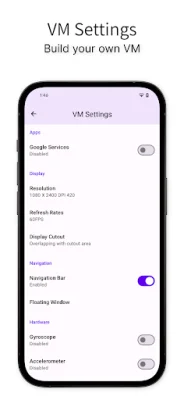
Latest Version
3.1.94
August 31, 2024
VM Space Tech
Tools
Android
0
Free
com.clone.android.dual.space
Report a Problem
More About Virtual Master - Android Clone
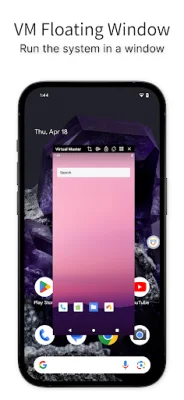
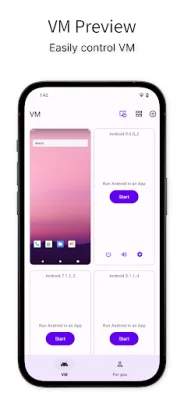
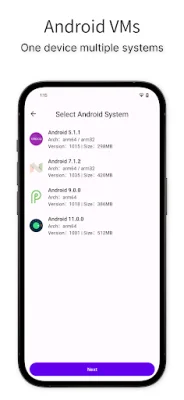
Virtual Master is an application that allows you to have another Android system running on your device, separate from the one already installed. This new system is similar to a Parallel Space or Virtual Phone, but it runs locally on your device. Within this new system, you can install your own apps, customize the launcher and wallpaper, and make it your own. With Virtual Master, you can even run multiple Android systems on one device, each serving a different purpose such as work, gaming, or privacy.
One of the main features of Virtual Master is the ability to play with multiple social or game accounts at the same time. This is possible because the app clones and imports your existing apps into the virtual system. It supports a wide range of social apps and games, allowing you to sign in to multiple accounts and switch between them freely.
In addition to running multiple accounts, Virtual Master also allows you to run multiple apps or games simultaneously. This is made possible by the app's support for background running, meaning you can have a game running in the virtual system while watching a video on your device at the same time. It's like having an emulator, such as Bluestacks or Nox, on your device.
For those who enjoy playing high-end games, Virtual Master also supports Vulkan in the virtual system. This allows for a smoother gaming experience on your device. Additionally, the virtual system provides a layer of privacy protection as apps and games cannot access any information from your device, such as contacts or device ID. This makes it a great option for a privacy sandbox.
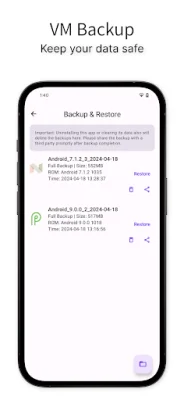
Some common questions from the developer include the amount of disk space needed for Virtual Master, which is about 1.6GB, and the time it takes for the app to boot, which is typically 1-2 minutes for the initial installation and 4-10 seconds for subsequent uses. It is also important to note that Virtual Master must be installed in the device owner or administrator account. If the app fails to boot, it is likely due to a damaged system file, which can be fixed by repairing the virtual system or reinstalling the app.
Rate the App













Popular Apps









