

Vivid Navigation Gestures
3.5.8 by Manuel Wrage (0 Reviews) November 20, 2025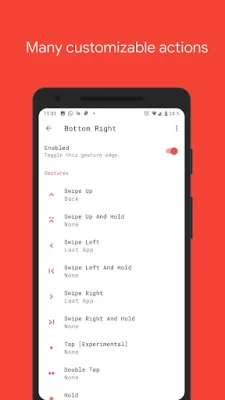
Latest Version
3.5.8
November 20, 2025
Manuel Wrage
Tools
Android
0
$2.49
com.ivianuu.oneplusgestures
Report a Problem
More About Vivid Navigation Gestures
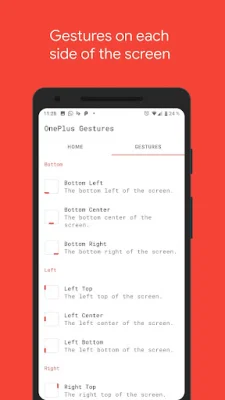
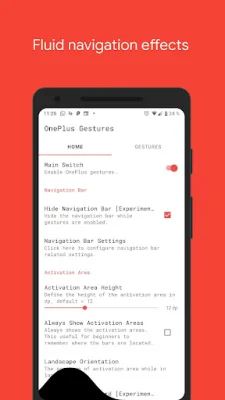
"Vivid Navigation Gestures" is an innovative app that allows you to control your device using gestures instead of traditional button presses. This means you can navigate your device in a more intuitive and fluid way, without having to wait for a new device or android version to be released. The app offers a variety of fluid effects that enhance the visual experience while performing gestures. These effects add a touch of beauty and elegance to your device's navigation. With "Vivid Navigation Gestures," you have the option to choose from multiple gesture triggers, including bottom left, bottom center, bottom right, left top, left center, left bottom, right top, right center, and right bottom. This allows you to customize your navigation experience and find the most comfortable and convenient gesture for you. The app also offers a wide range of available gestures, such as swipe up, swipe up and hold, swipe left, swipe left and hold, swipe swipe, swipe swipe right and hold, swipe swipe down, swipe swipe down and hold, hold, double tap, and tap. These gestures can be used to perform various actions, including launching Google Assistant, going back, returning to the home screen, opening the menu, killing apps, opening notifications, and more. In addition to these actions, "Vivid Navigation Gestures" also offers the ability to hide your device's navigation bar while the gestures are enabled. This feature requires ADB or Root access, and instructions on how to set it up can be found in the app's description. The app also utilizes accessibility services to execute actions such as back, home, or quick settings. However, it does not collect any data through these services. To make the app even more customizable, users can request actions through the app's subreddit. This allows for continuous improvement and updates based on user feedback. So why wait for the next big thing? "Vivid Navigation Gestures" is available now for all devices and android versions. Don't miss out on this innovative and convenient way to navigate your device. Check out the links in the description to learn more and install ADB. And for more information and updates, be sure to check out the app's subreddit. Get ready to experience a whole new level of device navigation with "Vivid Navigation Gestures."
Rate the App












Popular Apps









