
Wear Flashlight
3.1 by CodVerter (0 Reviews) October 22, 2024

Latest Version
3.1
October 22, 2024
CodVerter
Tools
Android
0
Free
com.codverter.wearflashlight
Report a Problem
More About Wear Flashlight
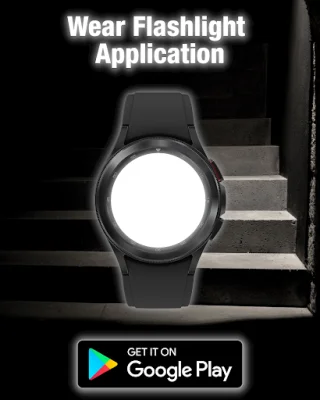
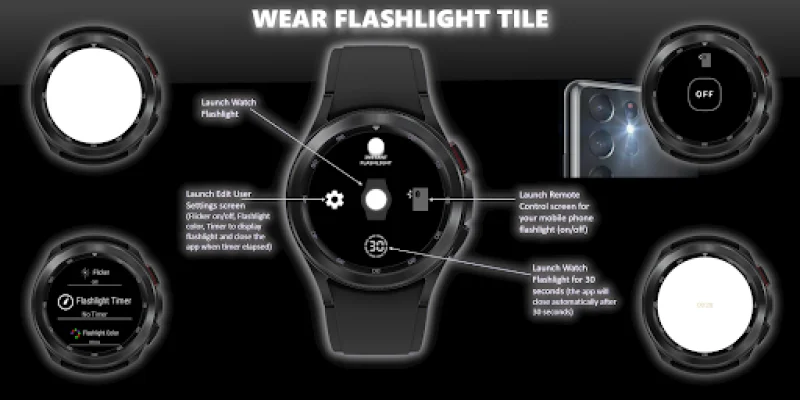
The Wear Flashlight Widget (Tile) is a convenient and easy-to-use application that allows users to instantly access a flashlight on their wear OS watch screen. This widget is compatible with Android smartphones and has a companion mobile app that enhances its capabilities.
The main feature of this widget is that the flashlight will stay on during hand moving gestures, making it easy to use in any situation. Additionally, the watch brightness will automatically adjust to maximum when the flashlight is on and return to the user's original setting once turned off.
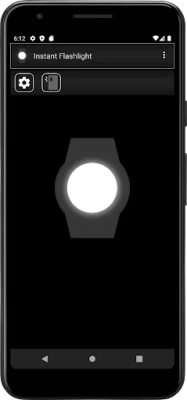
For users with the companion Android app, they can also control their phone's flashlight remotely through the widget. By clicking on the smartphone icon, the remote control screen will appear and the mobile flashlight will turn on automatically. Users can then use the ON/OFF button to control the flashlight.
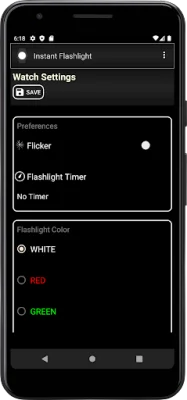
To access the user settings, users can click on the gear icon on either the watch or the companion app. This allows them to configure their preferences and options, such as choosing between always-on or flicker modes, setting a timer for the flashlight to automatically turn off, and selecting their preferred flashlight color.
It is important to note that when configuring settings through the companion app, users must click the save button in order to send the new settings to their watch. This ensures that the widget is always up-to-date and functioning properly.
In summary, the Wear Flashlight Widget (Tile) is a useful and versatile application that provides instant access to a flashlight on wear OS watches. With its companion mobile app and customizable settings, users can enhance their experience and make the most out of this convenient tool.
Rate the App















Popular Apps









