

WearMouse — Wear OS Air Mouse
1.24 by GinKage (0 Reviews) October 12, 2024
Latest Version
1.24
October 12, 2024
GinKage
Tools
Android
0
Free
com.ginkage.wearmouse
Report a Problem
More About WearMouse — Wear OS Air Mouse
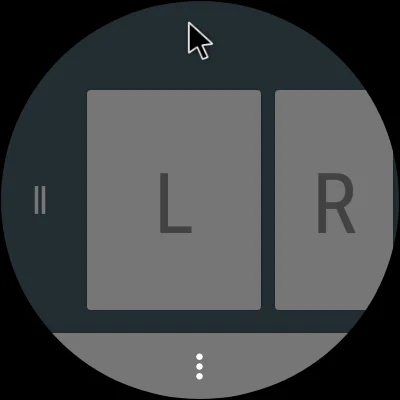
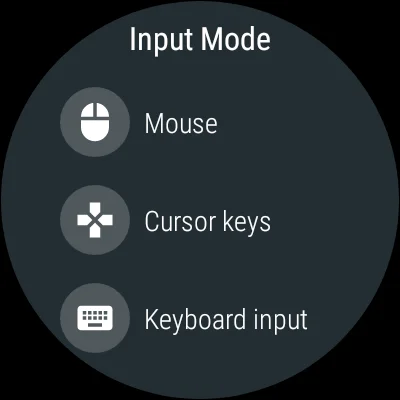
This application allows you to control your computer or other devices using your smartwatch. It is compatible with a variety of devices and does not require any additional software or root access. You can use it as a pointer for presentations, play games, control media players, and even use it as a VR controller. It offers four input modes: air mouse, touchpad, cursor keys, and keyboard input, making it versatile and easy to use.
To use the app, simply launch it and perform Bluetooth pairing with your device. The air mouse mode allows you to move the mouse pointer by waving your hand and has additional functions such as click and hold and middle click. The touchpad mode supports common gestures like tapping and swiping, while the cursor keys mode allows you to tap on the sides of the screen to trigger corresponding keys. The keyboard input mode offers an on-screen keyboard or voice input, but only supports US English at the moment. You can also use extra keys on your watch to switch between input modes.
The app also offers some settings to customize your experience, such as stabilizing pointer movements and reducing data rate for older devices. If you encounter any issues, there are troubleshooting tips available, such as turning on Airplane mode on your watch or adjusting the sensitivity on your connected device. It is recommended to turn off wrist gestures on your watch when using the air mouse mode to avoid accidental triggers.
The source code for this app is available on GitHub for those who want to explore and contribute. With its various features and compatibility, this app offers a convenient and intuitive way to control your devices with just a wave of your hand or a tap on your watch screen.
Rate the App













Popular Apps









