

WiFi Analyzer Pro
by Zoltán Pallagi (0 Reviews) July 30, 2024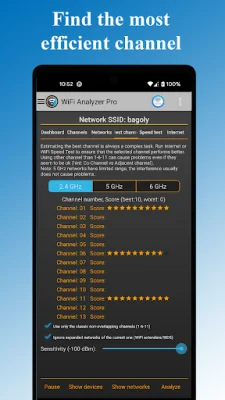
Latest Version
July 30, 2024
Zoltán Pallagi
Tools
Android
0
$3.19
com.pzolee.wifiinfoPro
Report a Problem
More About WiFi Analyzer Pro
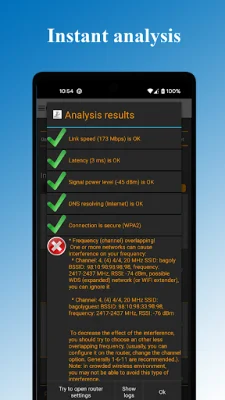
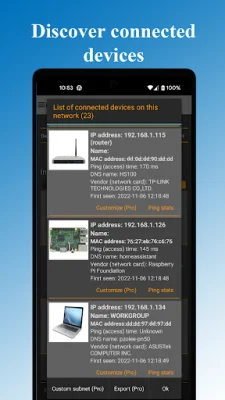
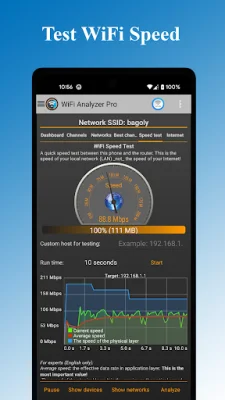
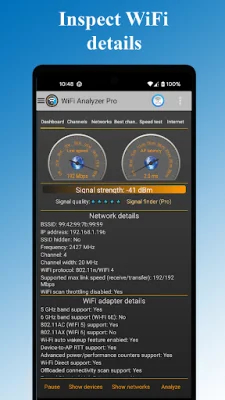
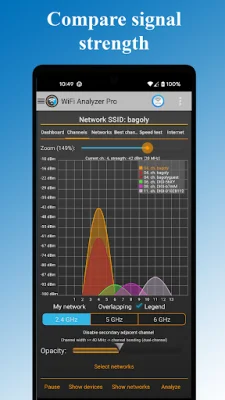
WiFi Analyzer Pro is a powerful tool that provides essential information about your network and helps you optimize your WiFi connection. With this app, you can easily see all the devices connected to your network and any nearby WiFi networks. It also helps you find the best channel for optimal connection speed. One of the standout features of WiFi Analyzer Pro is its lack of ads, making for a seamless user experience. Additionally, you can customize the devices you want to scan, scan more networks, and even send logs to your internet provider. Plus, with faster updates and bug fixes, you can trust that this app will always be up-to-date. Are you ready to take control of your WiFi? Look no further than WiFi Analyzer Pro, the most intuitive WiFi analyzer tool on Google Play. By analyzing and monitoring your network, you can increase its performance and ensure a smooth connection. This app offers a variety of features to help you optimize your WiFi. You can easily detect all the devices using your network, scan for both 2.4 and 5 GHz networks, and check for any security issues. It also provides detailed information about your network and access point, including the vendor, frequency, channel width, security level, and more. Plus, you can even access your router settings directly from the app. WiFi Analyzer Pro also offers recommendations for the best channel and allows you to easily view wireless networks on charts. You can even export your results for further analysis. With its WiFi analytics and support for different network types, such as WEP, WPA, and WPA2, this app has everything you need to optimize your WiFi. In addition to its functional features, WiFi Analyzer Pro also offers a customizable dark or light theme and various filters for easy navigation. Whether you're a beginner or an IT expert, this app is easy to understand and use. You don't need to be familiar with technical terms like RSSI and link speed to detect and troubleshoot network problems. It's important to note that for Android 6 (Marshmallow) users, location services must be enabled for the app to work properly. This is a known issue with the operating system, but once enabled, you can fully utilize all the features of WiFi Analyzer Pro. So why wait? Download WiFi Analyzer Pro now and take control of your WiFi network!
Rate the App















Popular Apps









