
Wifi Auto Connect
by RBNVision Technosoft (0 Reviews) November 09, 2025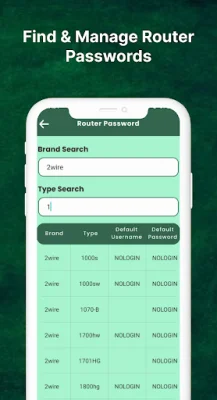
Latest Version
November 09, 2025
RBNVision Technosoft
Tools
Android
0
Free
com.rbnvision.auto.wifi.connect
Report a Problem
More About Wifi Auto Connect
The Wi-Fi Auto Connect app is a useful tool for increasing the standby time of your device. It automatically disables your Wi-Fi radio when it is not needed, reducing battery consumption. This app also helps you to easily reconnect to Wi-Fi and automatically stop Wi-Fi connections, as well as manage your mobile hotspot.
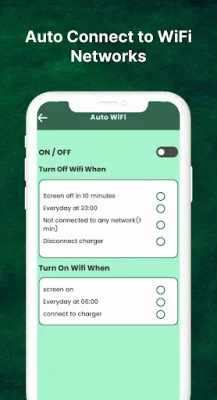
One of the main features of this app is the Auto WiFi On/Off function. This means that when your device screen is on, the Wi-Fi will automatically connect. It will also connect when your device is charging or when you launch apps that require Wi-Fi. When your device is out of Wi-Fi range and the apps do not require Wi-Fi, the Wi-Fi will automatically turn off. This feature helps to save battery life and ensures that your Wi-Fi is only on when you need it.
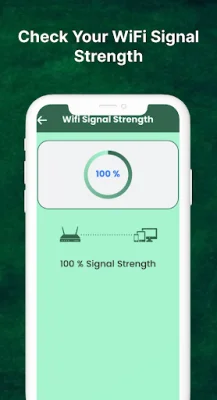
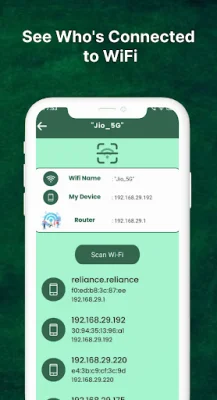
The Wi-Fi Auto Connect app also provides information about your connected Wi-Fi router. This includes the router name, signal strength, and even the option to save this information for future use. This makes it easier to manage your Wi-Fi connections and ensures that you are always connected to the best Wi-Fi network.
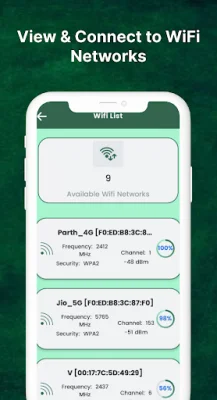
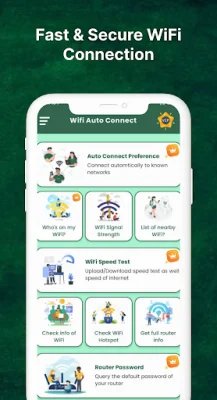
In addition to these features, the app also includes a Ping Tool, which allows you to test the connection speed of your Wi-Fi. This can be useful for troubleshooting any issues with your Wi-Fi connection. The app also displays a list of available Wi-Fi networks, making it easier to find and connect to a network.
For added convenience, the Wi-Fi Auto Connect app also allows you to view and manage your router password. This means you can easily access your Wi-Fi network without having to remember or enter the password every time.
Lastly, the app includes a Net Speed Test feature, which allows you to test the speed of your internet connection. This can be helpful in determining the quality of your Wi-Fi network and identifying any potential issues. With its various features and user-friendly interface, the Wi-Fi Auto Connect app is a must-have for anyone looking to optimize their device's battery life and Wi-Fi connectivity.
Rate the App











Popular Apps









