

Wifi Password Viewer, Generato
7.0 by JNGdev (0 Reviews) September 11, 2024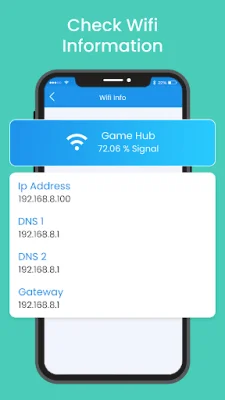
Latest Version
7.0
September 11, 2024
JNGdev
Tools
Android
0
Free
com.wifipv.wifipasswordviewergeneratorrecover
Report a Problem
More About Wifi Password Viewer, Generato
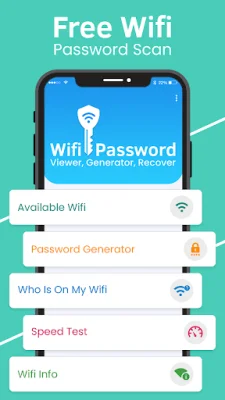
If you're looking for an app that can help you manage your wifi network, then Wifi Password Viewer, Generator, Recover is the perfect solution for you. With this app, you can scan for available wifi networks near you, generate secure passwords, and even see who is connected to your network. You can also perform an internet speed test and get information about your IP address, router name, and router company name.
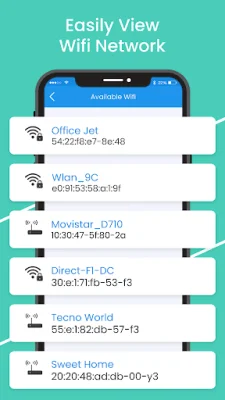
The first option in this app is the ability to scan for available wifi networks near you. This is useful if you're in a new location and need to connect to a wifi network. The app will provide you with a list of available networks, making it easier for you to choose the one you want to connect to.
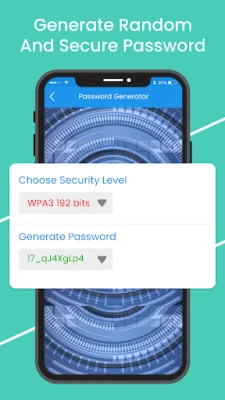
The second option is the password generator, which allows you to create secure passwords for your wifi network. You can select the security level of the password and choose whether to include lowercase letters, uppercase letters, digits, and symbols. Once you've generated a password, you can easily copy and set it for your wifi network.
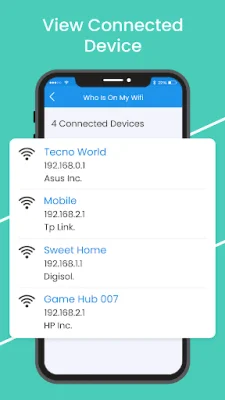
The third option is the "Who is on my WiFi?" feature, which shows you a list of devices connected to your network. This is useful if you want to know who is using your wifi or if you want to block any unwanted devices. You can also share or copy the mac address of connected devices using this feature.
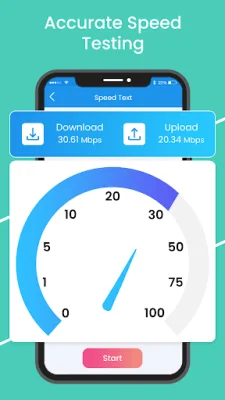
The app also includes a speed test feature, which allows you to check your internet speed. You can see your ping, download speed, and upload speed with just one touch. Additionally, the app provides information about your wifi network, such as your IP address, router name, and router company name.
Some of the key features of Wifi Password Key Finder include its simplicity and ease of use. It's a small-sized app that is easy to navigate and use. With just one click, you can get all the information you need about your wifi network. So, if you want to manage your wifi network effectively and remove any unwanted devices, download Wifi Password Viewer, Generator, Recover now.
Rate the App















Popular Apps









