

Assistive Touch
1.7 by Wanata Studio (0 Reviews) May 15, 2026
Latest Version
1.7
May 15, 2026
Wanata Studio
Tools
Android
0
Free
com.wanata.assistive.touch
Report a Problem
More About Assistive Touch
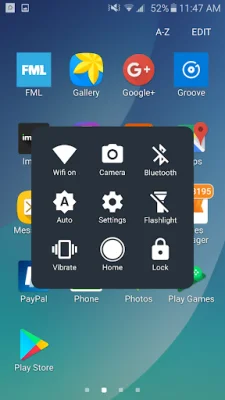
This application is an Android version of the popular iOS assistive touch feature. It allows users to perform quick actions such as screen capture, opening the home screen, and accessing the Control Center by simply touching a floating menu that appears on the screen.
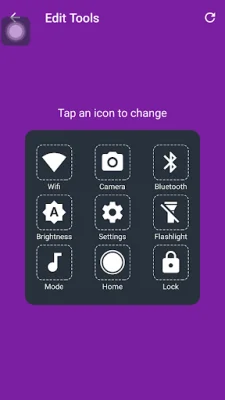
Inspired by the iOS feature, this Android version of Assistive Touch offers a variety of useful features. These include turning on or off Wifi, launching the camera, enabling or disabling Bluetooth, turning on or off the flashlight, and switching between vibrate, mute, and normal modes.
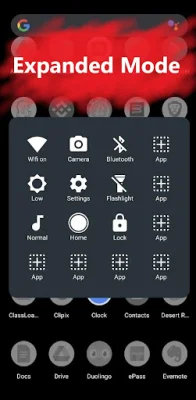
One of the unique features of this app is the Expanded Mode, which allows users to add their favorite apps for quick access. This feature encourages users to be creative and think of original and SEO-oriented ways to organize their favorite apps.
With this app, users can easily perform common tasks without having to navigate through multiple menus or settings. It provides a convenient and efficient way to access important features and apps on their Android device.
Overall, this Android version of Assistive Touch offers a user-friendly and customizable experience for users. It simplifies the process of performing tasks and accessing apps, making it a valuable tool for any Android user.
Rate the App















Popular Apps









