

Assistive Touch for Android
4.0.8 by Assistive Touch Team (0 Reviews) August 25, 2024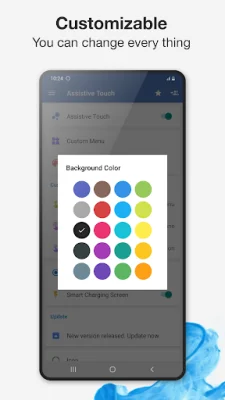
Latest Version
4.0.8
August 25, 2024
Assistive Touch Team
Tools
Android
0
Free
com.easytouch.assistivetouch
Report a Problem
More About Assistive Touch for Android
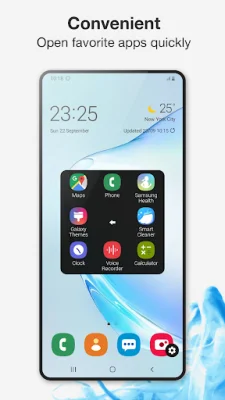
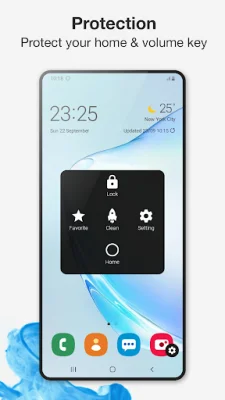
Assistive Touch is a free and easy-to-use tool for Android devices that provides quick access to your favorite apps, games, settings, and quick toggles. It features a floating panel on the screen that allows for easy navigation and is especially useful for those with big screen smartphones. This app also serves as a way to protect the physical buttons on your device, such as the home and volume buttons.
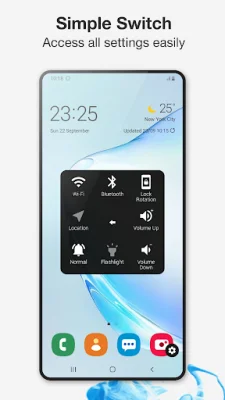
With Assistive Touch, you can easily access a virtual home button to lock your screen and open recent tasks, a virtual volume button to change volume and sound mode, and a virtual back button. You can also quickly open your favorite applications and access all settings with just a touch.
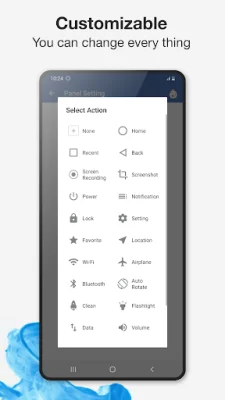
The app also offers a variety of quick touch settings, including the ability to capture screenshots, open notifications, control WiFi and Bluetooth, adjust location and ring mode, and more. It even has a screen recorder function that allows you to record your screen in HD and FullHD videos, with the option to record audio from the microphone.
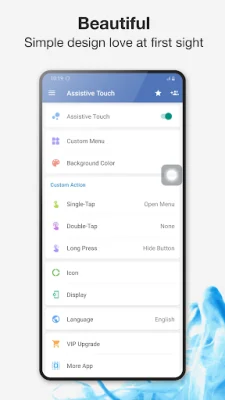
Assistive Touch also allows for customization, with the ability to change the background color and icon of the floating button. You can also set different gestures for the button, such as one tap, double tap, and long press.
If you encounter any issues with the app, you can provide feedback and the developers will work to fix it quickly. The app also has a frequently asked questions section for common inquiries. It is important to note that the app uses the Device Administrator permission and Accessibility services for certain functions, but does not collect any personal or sensitive user data.
Overall, Assistive Touch is a useful and convenient tool for Android users, and the developers encourage users to leave a review and provide feedback for any improvements or new features they would like to see.
Rate the App















Popular Apps









