

Auto Clicker - Automatic tap
1.3.0 by West WorkS (0 Reviews) October 08, 2024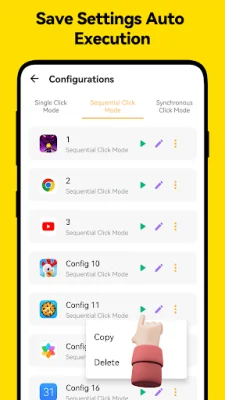


Latest Version
1.3.0
October 08, 2024
West WorkS
Tools
Android
0
Free
com.westworks.apps.autoclicker
Report a Problem
More About Auto Clicker - Automatic tap
Our automatic clicker is a powerful and user-friendly tool that allows for efficient task completion in various scenarios. It stands out from other clicker applications as it does not require rooting, making it easy to use without complex configurations or system modifications. This means that users can easily run it on their devices without any hassle.
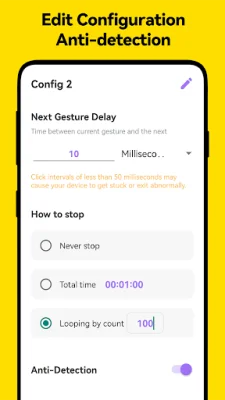
One of the key features of our automatic clicker is the floating panel, which provides convenient control and adjustment of scripts. This allows users to effortlessly manage and modify scripts to meet the requirements of different tasks, thereby enhancing work efficiency.
Another advantage of our automatic clicker is its ability to save valuable time. It can assist with reading and browsing short videos, freeing up more time for other important tasks. This makes it a valuable tool for those looking to increase productivity.
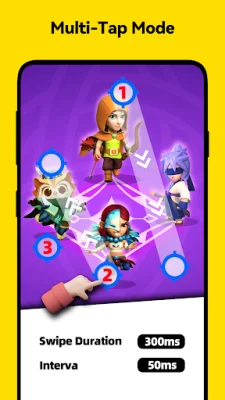
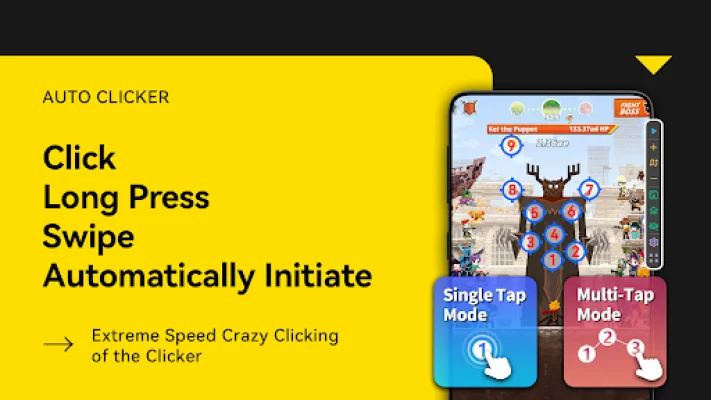
In addition to its user-friendly interface and time-saving features, our automatic clicker also offers various click and swipe operations, as well as a single-point long press mode. It also has two click modes: sequential click and synchronized click, which allow for efficient and customizable clicking.
Our automatic clicker is suitable for various scenarios, including gaming, screen testing, and reading novels. It also supports customizable scripts, allowing users to tailor specific operational steps as per their needs. It does not require root access and is compatible with Android 7.0 or higher systems.
It is important to note that our application uses the Accessibility Services API to implement core features such as automatic clicking and screen scrolling. Starting from Android 12, explicit permission must be granted for this. However, we assure our users that we will not collect or share any personal or sensitive data through this API. We also want to remind users that after the process ends, reinstallation or upgrade, the permission may need to be reset, which is a mechanism of the Android system.
Rate the App















Popular Apps









