

AZ Auto Clicker - Auto Click
1.0.4 by Valley-Labs (0 Reviews) August 31, 2024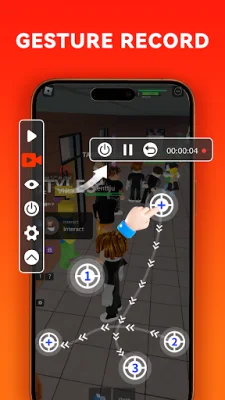
Latest Version
1.0.4
August 31, 2024
Valley-Labs
Tools
Android
0
Free
com.speed.easy.autoclick.automaticclicker
Report a Problem
More About AZ Auto Clicker - Auto Click
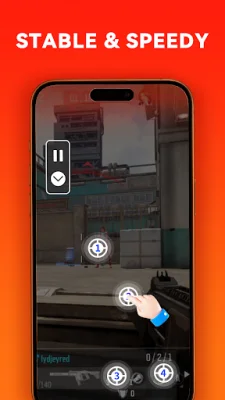
Auto Clicker for Android is a helpful tool for users who need assistance with tasks that require repetitive clicks or swipes. It is especially useful for playing games, auto-liking, and automatically accepting tasks. The app offers a variety of features to customize and optimize your clicking experience.
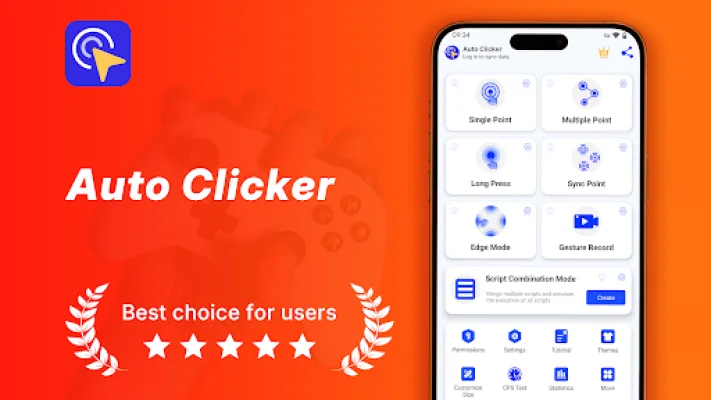
The Single Click Mode allows you to select a target and easily achieve your goal by customizing the click frequency and number of clicks. If one click is not enough, the Synchronous Click Pattern mode allows you to tap quickly on multiple targets simultaneously. The Multi-Point Mode supports consecutive clicks on multiple target points, such as tapping, swiping, and long-pressing. You can also set the number of cycles and the duration of the interval for each target point individually.
For tasks that require a long press, the Long Press Mode allows you to customize the duration of the long press on a specific location on your phone screen. The Edge Click Mode is perfect for clicking on areas that other clickers do not support, as it allows you to click and swipe along the top, bottom, left, and right edges of your phone's screen effortlessly.
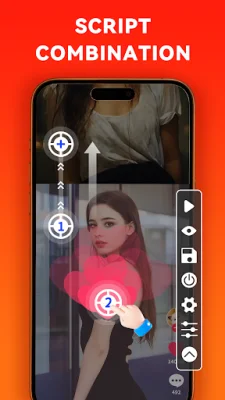
In addition to manually adding click and swipe targets, the app also offers a Recording Mode to automatically record your gestures and generate executable scripts. The Script Combination Mode allows you to merge multiple scripts and simulate their execution, making it easier to complete complex tasks and improve efficiency.
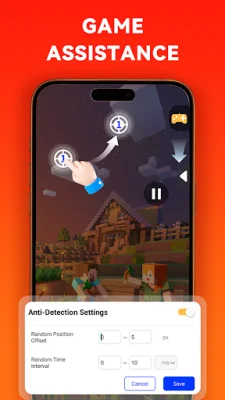
Worried about being detected when using an auto clicker in games? The app offers a Game Anti-Detection feature that allows you to set random intervals and random coordinate ranges for clicking. You can also share your scripts with friends or community members using the Script Sharing feature.
With customizable click target skins and adjustable floating control transparency, Auto Clicker for Android offers a personalized and efficient clicking experience. It is easy to use and does not require any ROOT permission. The app supports Android 7.0 and above and uses the AccessibilityService API for its core functionality.
If you enjoy using Auto Clicker, please rate it 5 stars and leave a positive review. If you have any suggestions or encounter any issues, you can email the developers at [email protected]. And if you wish to assist with translation, you can contact the developers as well. Visit the website for comprehensive guides on using Auto Clicker, including tutorials for various games.
Rate the App














Popular Apps









