

Cent Mobile
7.42 by CENTRAL BANK OF INDIA (0 Reviews) September 24, 2024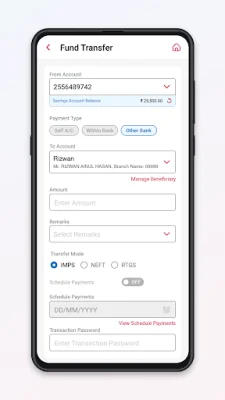

Latest Version
7.42
September 24, 2024
CENTRAL BANK OF INDIA
Finance
Android
0
Free
com.infrasofttech.CentralBank
Report a Problem
More About Cent Mobile
The Cent Mobile app is a mobile banking application that allows customers of Central Bank of India to access their accounts and perform various banking transactions on their smartphones. To begin using the app, customers must first download and install it from the Google Play Store. Once installed, they can open the app and begin the one-time registration process. It is important to note that during the registration process, mobile data must be turned on and Wi-Fi must be turned off.
During the registration process, the app will ask for permission to access certain features on the user's phone. Customers must tap the "Allow" button to continue. They will then be prompted to tap the "Register" button and accept the terms and conditions for mobile banking. Next, they must enter their CIF number or account number and tap the "Submit" button. If the mobile number registered with the bank is present in the phone, a verification SMS will be automatically sent. Customers must tap "Proceed" to continue and allow the app to send the SMS. If the phone has dual SIM cards, the user will be asked to select the SIM card registered with the bank.
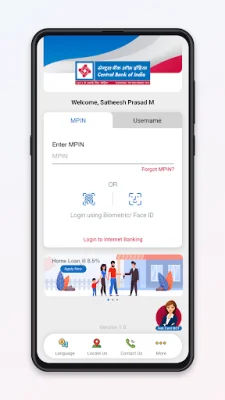
Next, customers must enter their debit card information or internet banking username and password and tap "Submit." They will then be prompted to set a preferred user ID for login and an MPIN and TPIN for security purposes. Once this process is complete, customers can log in to the Cent Mobile app and access their accounts. The app allows customers to view interest rates for time deposits and retail loan schemes, forex rates, and missed call services for account balance and transaction information.
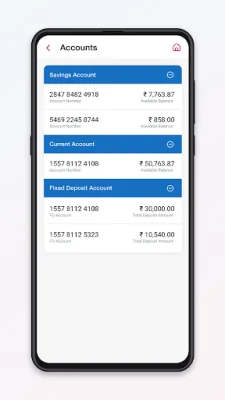
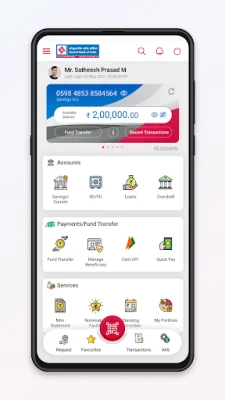
After logging in, customers can perform a variety of banking transactions, such as checking their account balance, viewing account details and mini statements, and downloading statements. They can also transfer funds to other accounts with Central Bank of India or other banks through NEFT or IMPS. The app also offers features such as quick pay, opening or closing time deposit accounts, and requesting personalized ATM cards.
The Cent Mobile app also offers a range of post-login features, including the ability to request a cheque book, stop payment on a cheque, and check the status of a cheque. Customers can also generate MMIDs, control their debit card settings, and use UPI for various transactions. The app also allows customers to apply for social security schemes, loans, lockers, and new accounts. They can also access tax credit statements and forms, enable debit freeze, and set up standing instructions. Additionally, the app provides information on branch and ATM locations, as well as contact details for administrative offices.
Rate the App















Popular Apps









