

Content Transfer Professional
1.2.10.15 by Canon Inc. (0 Reviews) May 14, 2026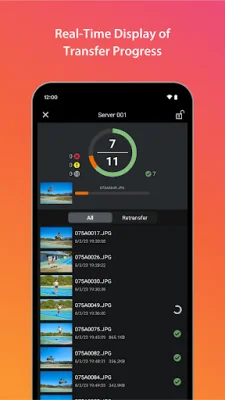
Latest Version
1.2.10.15
May 14, 2026
Canon Inc.
Tools
Android
0
Free
jp.co.canon.ic.ctp
Report a Problem
More About Content Transfer Professional
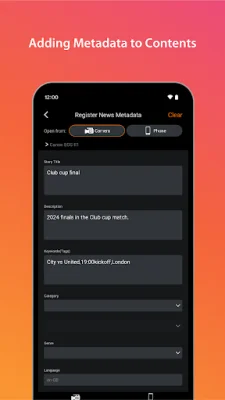
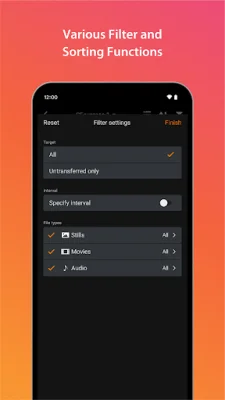
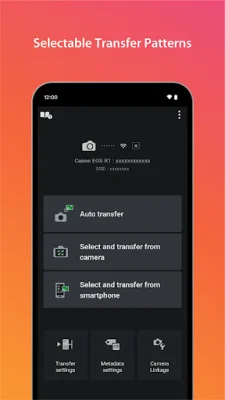
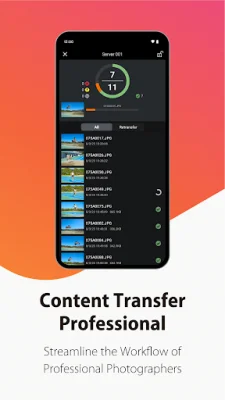
The Content Transfer Professional application allows users to easily transfer photos and videos from their camera to their mobile devices. It also allows for the upload of these media files to FTP/FTPS/SFTP servers. The app offers automatic transfer of media files, as well as the ability to manually select and transfer specific files from both the camera and mobile device. Users can also filter and sort their media files by date and rating. In addition to transferring and organizing media files, the app also allows for the addition of metadata such as photographer's name, license information, and voice memos. This can be done using pre-set templates for convenience. The app is compatible with certain Canon camera models, which can be found on the Canon website. It requires an Android device with version 12 or higher. Supported file types include JPG, MP4, XML, and WAV. If the app does not function properly, users are advised to try shutting it down and restarting it. More information can be found on the Canon website. For those who already have a subscription to the Canon Imaging App Service Plans plan, it is important to note that subscribing to the Google Play subscription will result in additional charges. The app is subscription-based, with a free trial period of 30 days. After that, a monthly fee will be charged to the user's Google account. The subscription will automatically renew unless cancelled before the end of the current period. Users can manage and cancel their subscriptions through their Google account. It is recommended to quit the Camera Connect app when connecting the camera to the device via USB for stable operation. The Content Transfer Professional app is only available with a subscription, which can be purchased through the Google Play store.
Rate the App















Popular Apps









