

Forward SMS
2.1.6 by Forward SMS (0 Reviews) July 30, 2024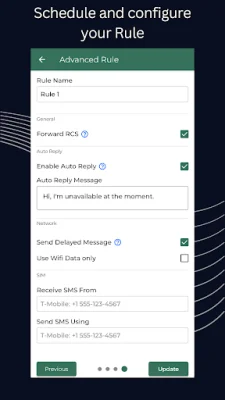
Latest Version
2.1.6
July 30, 2024
Forward SMS
Tools
Android
0
Free
com.development.forwardsms
Report a Problem
More About Forward SMS
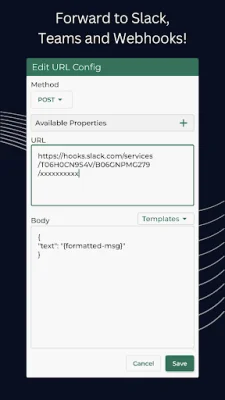
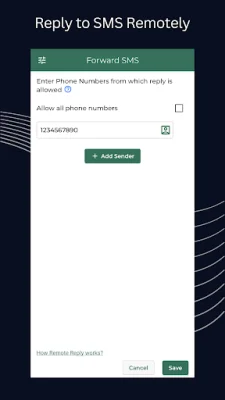
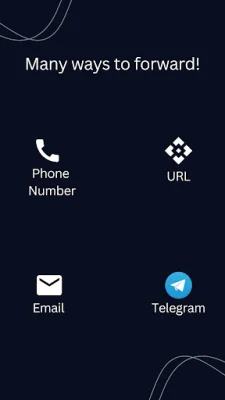
This SMS Forwarder app is a convenient tool that automatically forwards any SMS received on your phone to your desired contact details. Whether it's an email, phone number, Telegram, or URL, this app has got you covered. The best part? It only takes 1 minute to set up and there's no need to keep the app open for it to work. As soon as a message is received, it will be forwarded to your chosen contact details.
One of the key features of this app is its ability to run silently in the background, allowing you to focus on more important things without any interruptions. It also offers an advanced rule feature, which allows you to add multiple receivers, senders, customize templates, and even schedule when messages should be forwarded.
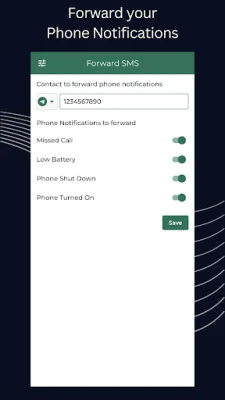
In addition to forwarding SMS, this app can also forward phone notifications such as missed calls, low battery, phone shut down, and phone turned on. This makes it a versatile tool for staying connected and informed.
There are various situations where this app can come in handy. For example, if you have multiple phones but only want to carry one, this app can help you stay updated on all your messages. It's also useful for those who have workspace restrictions and can only carry their work phone. Additionally, if you're traveling to a different country, this app can ensure that you don't miss any important messages.
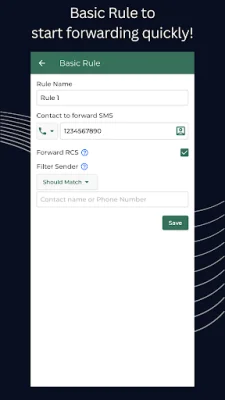
Using the Forward SMS app is simple and straightforward. Just open the app, grant the required permissions, and create a basic or advanced rule with your desired forwarding details. The app will take care of the rest.
In order for the app to function properly, it requires certain permissions such as reading and receiving SMS and MMS, sending SMS, and accessing contacts and the internet. These permissions are necessary for the app to securely transfer your messages to your chosen contact details. It also requires access to call logs in order to read missed call details.
Rate the App















Popular Apps









