

Galaxy Buds Core Manager
by Samsung Electronics Co., Ltd. (0 Reviews) October 31, 2025



Latest Version
October 31, 2025
Samsung Electronics Co., Ltd.
Tools
Android
0
Free
com.samsung.accessory.pianomgr
Report a Problem
More About Galaxy Buds Core Manager
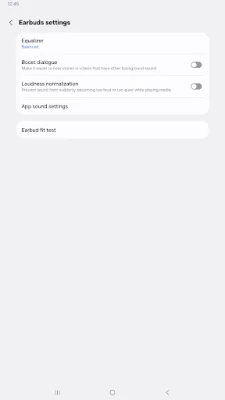
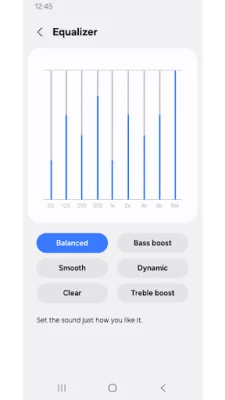
This application, called Galaxy Buds Core Manager, is not a standalone app. It is a component of the larger Galaxy Wearable application. In order for the Galaxy Buds Core Manager to function properly, the Galaxy Wearable app must be installed first.
If you are using an Android device with version 11.0 or later, please make sure to allow the necessary permissions for the Galaxy Buds Core Manager in your device's settings. This will ensure that all features of the app can be used without any issues. To do this, go to Settings > Applications > Galaxy Buds Core Manager > Permissions.
The Galaxy Buds Core Manager requires certain permissions in order to provide its services. For permissions that are not required, the default functionality of the service will be turned on, but not allowed. The following are the required permissions for the app:
- Calendar: This permission is needed to check calendar information for the voice notification function.
- Call logs: This permission is needed to confirm call log information for the voice notification function.
- Contacts: This permission is needed to confirm contacts information for the voice notification function.
- Nearby devices: This permission is needed to confirm and search for Buds devices.
- Notifications: This permission is needed for the voice notification function.
- Phone: This permission is needed to confirm contacts information for the voice notification function.
There are no optional permissions required for the Galaxy Buds Core Manager. However, if you have previously allowed any optional permissions, they can be reset in the Apps menu of your device's settings after a software update.
In summary, the Galaxy Buds Core Manager is an essential component of the Galaxy Wearable application and requires certain permissions to function properly. Make sure to install the Galaxy Wearable app first and allow the necessary permissions for a seamless experience. Any optional permissions can be reset after a software update.
Rate the App











Popular Apps









