

GPS Camera Microphone blocker
4.422 by ASY-SOFT-LTD (0 Reviews) September 04, 2024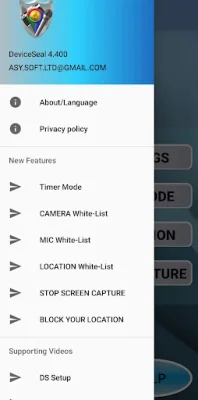


Latest Version
4.422
September 04, 2024
ASY-SOFT-LTD
Tools
Android
0
Free
deviceseal.com.asysoft
Report a Problem
More About GPS Camera Microphone blocker
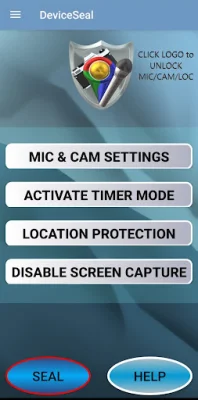
DeviceSeal is an application that offers a wide range of security settings for your device. With over 2500 different options, users can customize the availability of their microphone, camera, location, and screen recording. This allows for a personalized level of security and control over these features.
One of the unique features of DeviceSeal is its security modes for blocking and unblocking the microphone and camera. This gives users the ability to control when these features are available and when they are not. This can be especially useful for privacy purposes.
Another standout feature of DeviceSeal is its GPS location blocker. This feature allows users to overwrite their GPS location, while still being able to share their real location when needed. This is important for avoiding location tracking, and the app also allows for white-listing specific applications for location sharing.
In addition to these features, DeviceSeal can also be used to stop screen capturing and recording. This can be useful for protecting sensitive information or preventing unauthorized recording.
The app also offers a timer mode, which allows users to switch between different security modes for a specific duration each day. This adds an extra layer of convenience and customization for users.
DeviceSeal can be used in both manual and automated modes. In manual mode, users can quickly access the app from the quick launch menu and use the "Seal" and "Unlock" options. In automated mode, users can select their preferred settings and have them automatically applied.
For added security, DeviceSeal uses the latest software released by Google. It is recommended to regularly update the app to ensure the use of the most up-to-date and secure software. The app also includes a reminder to watch the introduction and security modes videos for a better understanding of its features.
To use DeviceSeal, users can select their desired security mode and blocking mode for the microphone and camera. They can also choose which applications to white-list for bypassing the blocking settings. The timer mode can also be set for added convenience. Additionally, the app can prevent screen recording and capturing.
For Android 13 users, it is important to accept the show notification request during installation. For Android 11 and 12 users, DeviceSeal should be added to the "never sleeping apps" list to ensure full protection. And for Chinese device owners, the app should be added to the excluded apps list for optimal performance.
In conclusion, DeviceSeal offers a comprehensive and user-friendly solution for controlling the security settings of your device. With its various features and customizable options, users can have peace of mind knowing their privacy and security are being protected.
Rate the App














Popular Apps









