

iCenter OS 17 - X-Home Bar
1.3 by Apps-Commercial-Lab (0 Reviews) November 12, 2025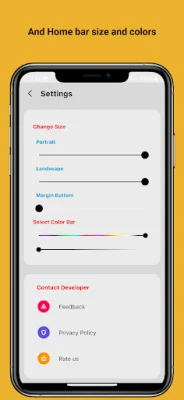
Latest Version
1.3
November 12, 2025
Apps-Commercial-Lab
Tools
Android
0
Free
com.inoty.ioscenter.homebar
Report a Problem
More About iCenter OS 17 - X-Home Bar
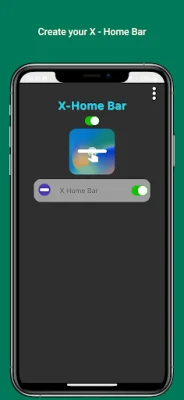
This application is designed to assist individuals who may have difficulty using their phone with only one hand. It offers a variety of actions that can be performed with just one hand, such as pulling down notifications. These actions are made possible through the use of Accessibility services, which are specifically utilized for this purpose.
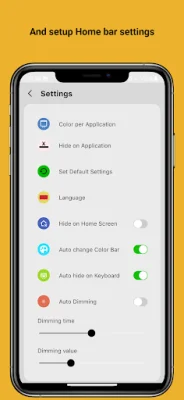
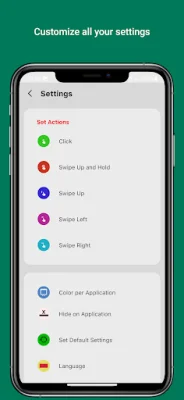
The app features a range of gestures that can be used to control your phone, including swiping left, right, and up, as well as tapping and holding. The gesture bar can even be customized to suit your preferences, giving you even more control over your phone.
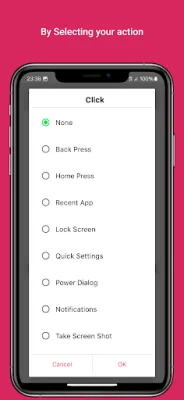
One of the key features of this app is its use of Accessibility services. These services are responsible for initiating various actions, such as starting multi-tasking, pulling down the notification panel, accessing quick settings, opening the power menu, and simulating the back button. These actions can be particularly helpful for individuals who may have difficulty using their phone with only one hand.
By utilizing Accessibility services, this app aims to make it easier for individuals to perform tasks on their phone with just one hand. This can be especially beneficial for those with physical limitations or disabilities. The app encourages users to get creative and explore the different ways they can use the gesture bar to control their phone.
In summary, this app offers a convenient and accessible way for individuals to use their phone with just one hand. Its use of Accessibility services allows for a range of actions to be performed, making it easier for users to navigate their phone and perform tasks. With customizable options and a focus on accessibility, this app is a valuable tool for those who may need assistance in using their phone with only one hand.
Rate the App














Popular Apps









